Which campaigns are spending without returning it?
Meta, Google and TikTok sit in one table. Start at the channel, then click down through campaign and ad set to the ad that’s dragging your CPA, with each platform’s spend paced against the month’s plan.
14 days free. A card is needed to start, and nothing is charged until the trial ends.
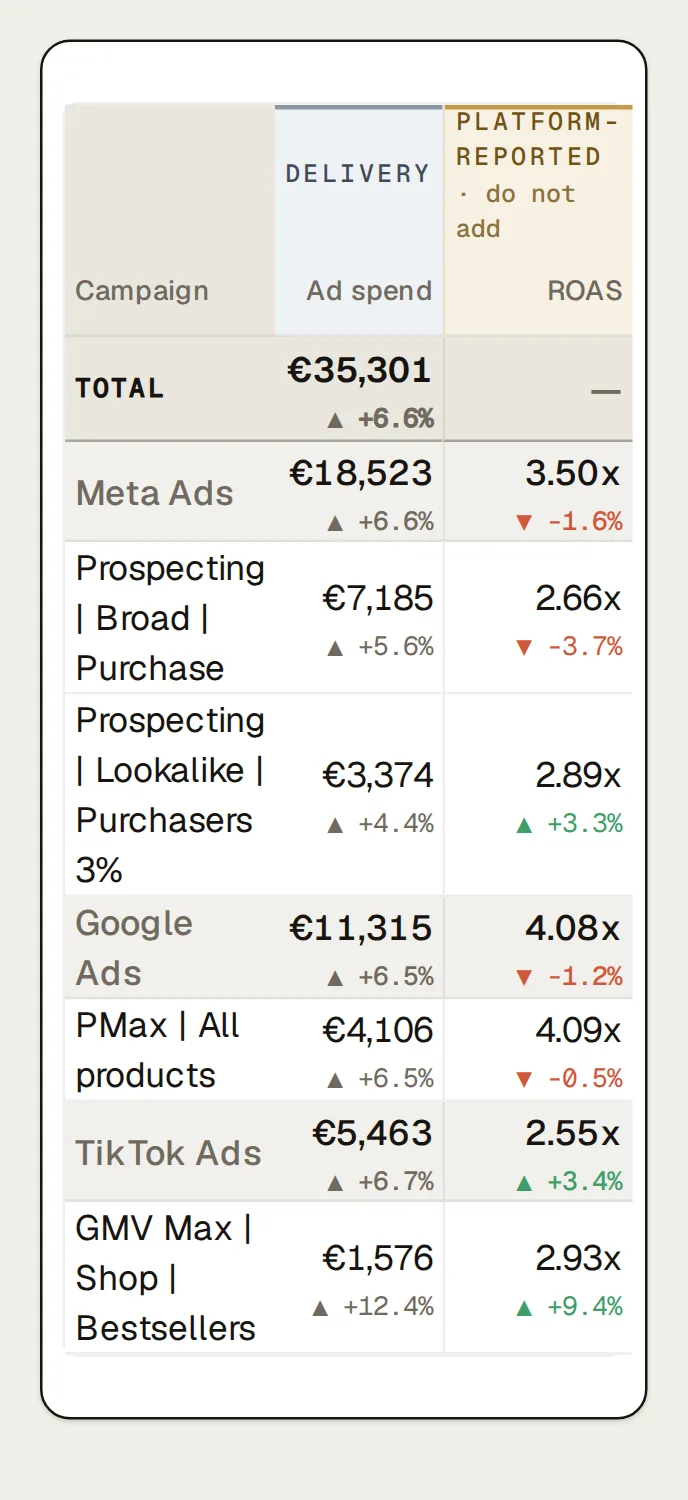
Channel, campaign, ad set, ad: one table
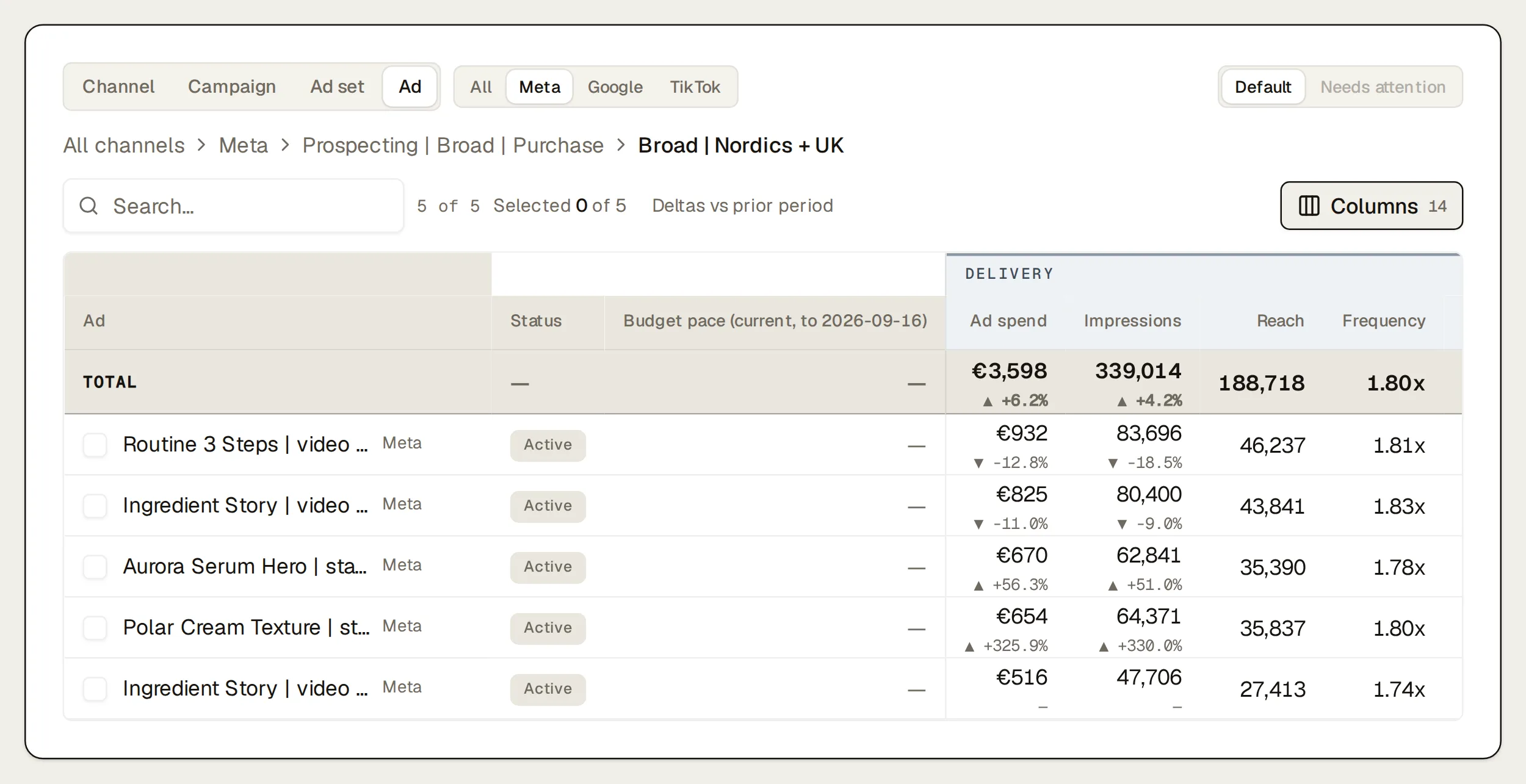
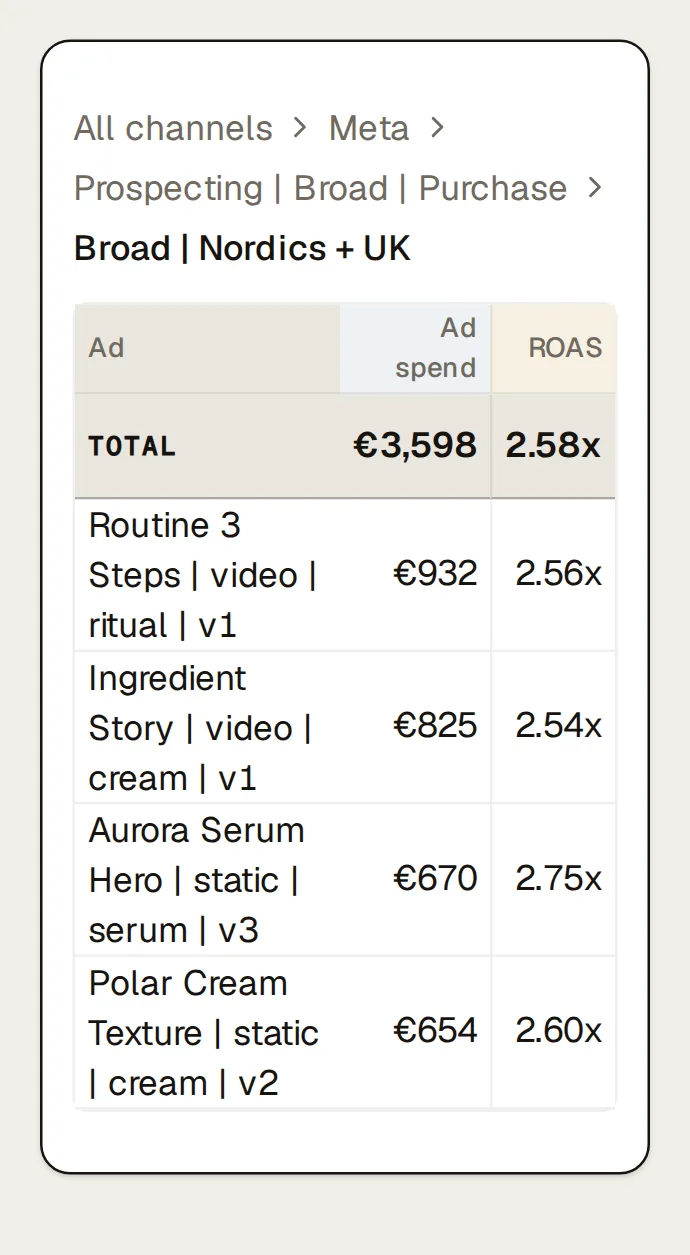
Pick a level and a platform, then click any row to go one level down, with a breadcrumb back up. Delivery columns (spend, impressions, reach, frequency, CPM, CPC, CTR) sit in one band; each platform’s own conversions, conversion value, ROAS and CPA sit in the next. Google and TikTok don’t report reach or frequency at these levels, so those cells say “not reported” instead of zero. Rows group under their platform, totals add up delivery, and reported conversions stay per platform because the platforms can count the same order. Google Performance Max asset groups get their own rows, and TikTok GMV Max spend sits apart from click-based campaigns. “Needs attention” sorts the rows the findings flagged to the top.
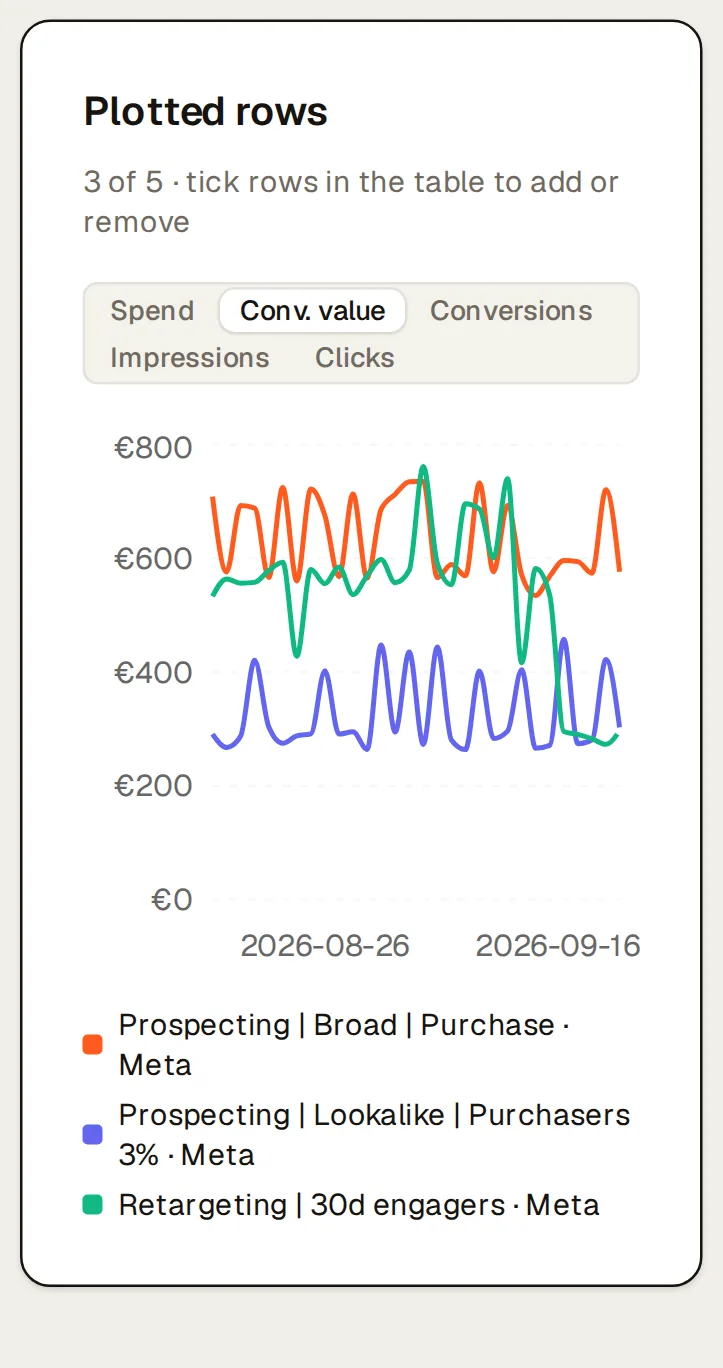
Tick up to five rows and a chart above the table plots them day by day, so you can see whether the new campaign took the old one’s spend.
Budget pacing against the monthly plan
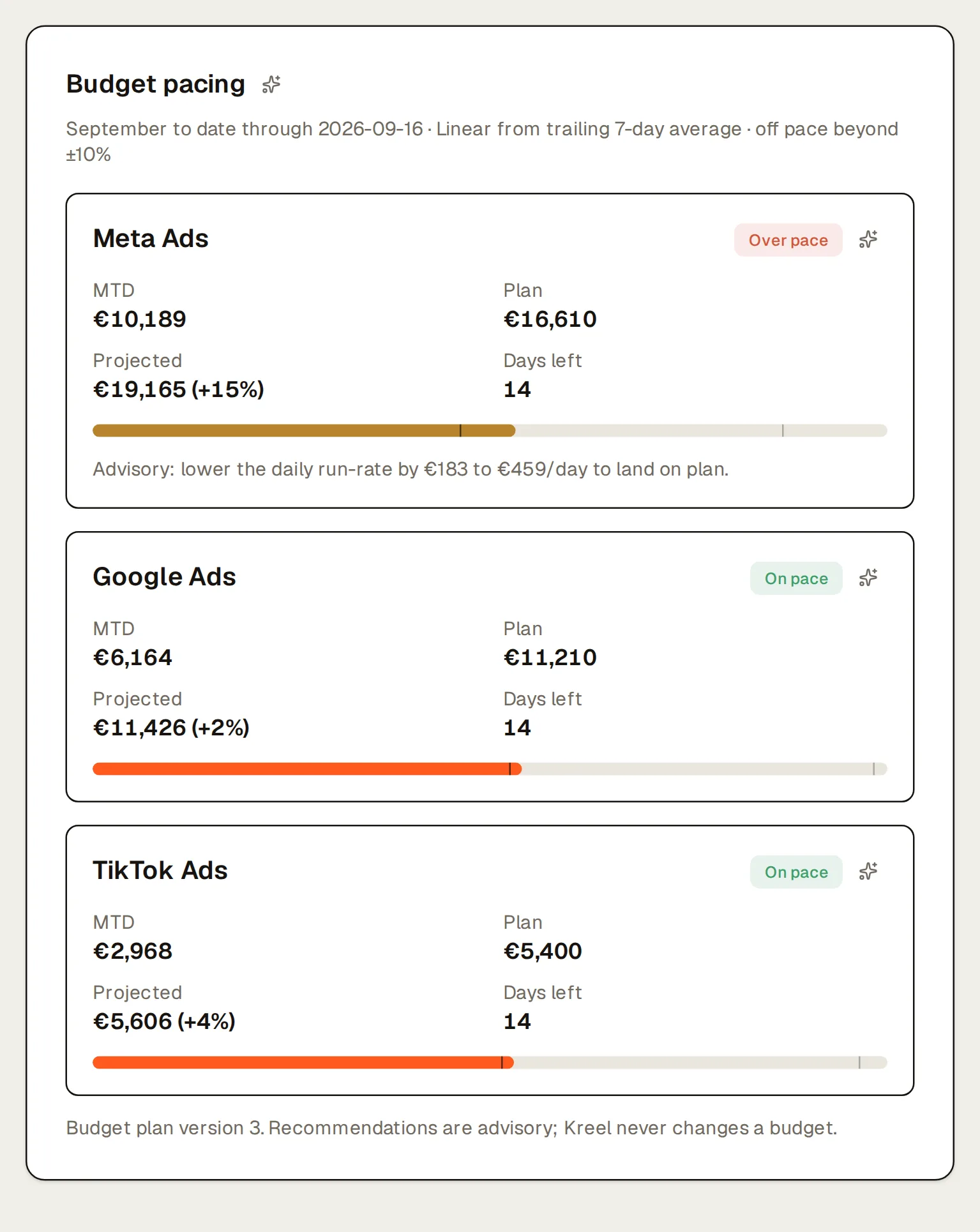
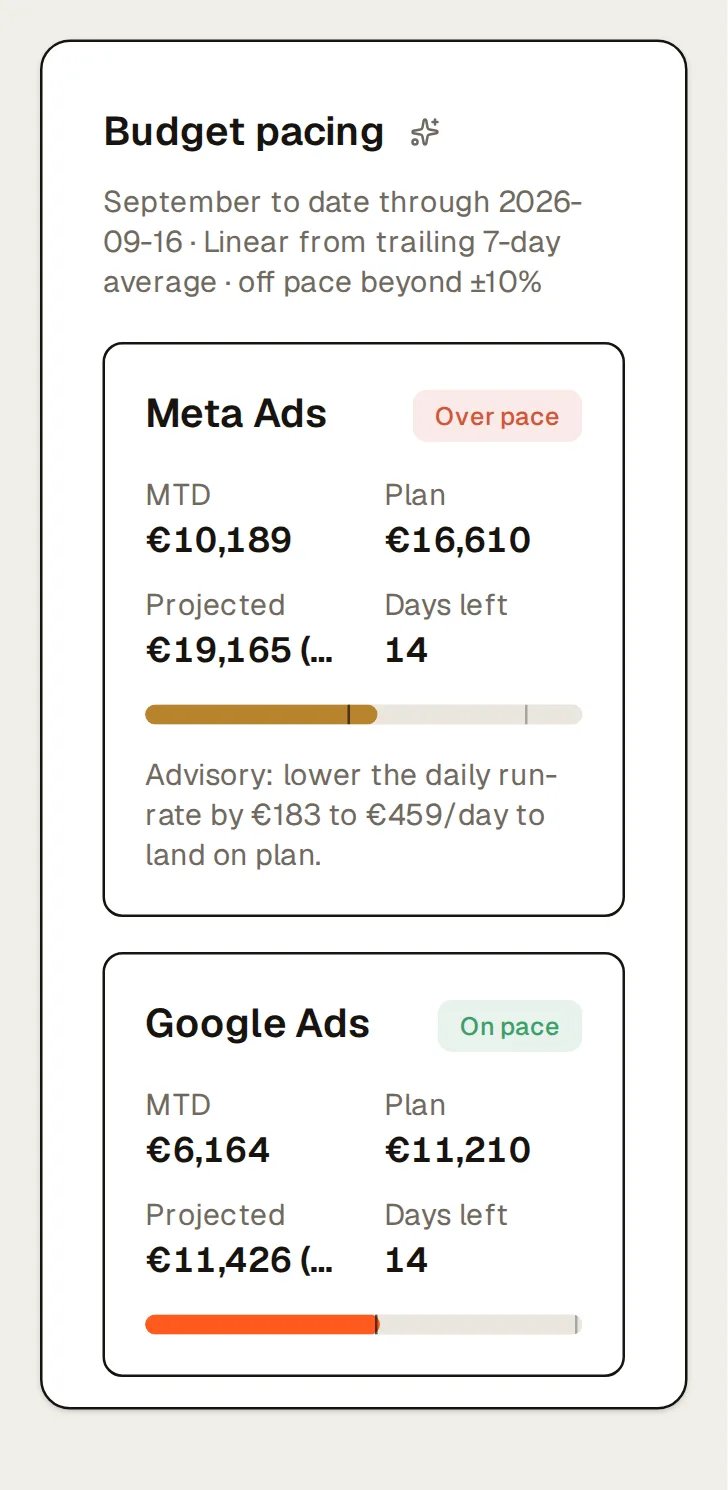
Each platform gets its month-to-date spend against its line in your budget plan, the month-end projected from the last seven days, and the daily change that brings it back to plan, for example “lower the daily run-rate by €183 to €459/day” for Meta. Campaigns and ad sets show their recent spend against their own daily budget, flagged when they run under 70% or over 100% of it. A platform that’s off pace shows up as a finding, and a scheduled pacing job can send it to Slack or email each day.
Kreel advises; it never changes a budget.
Where the spend went
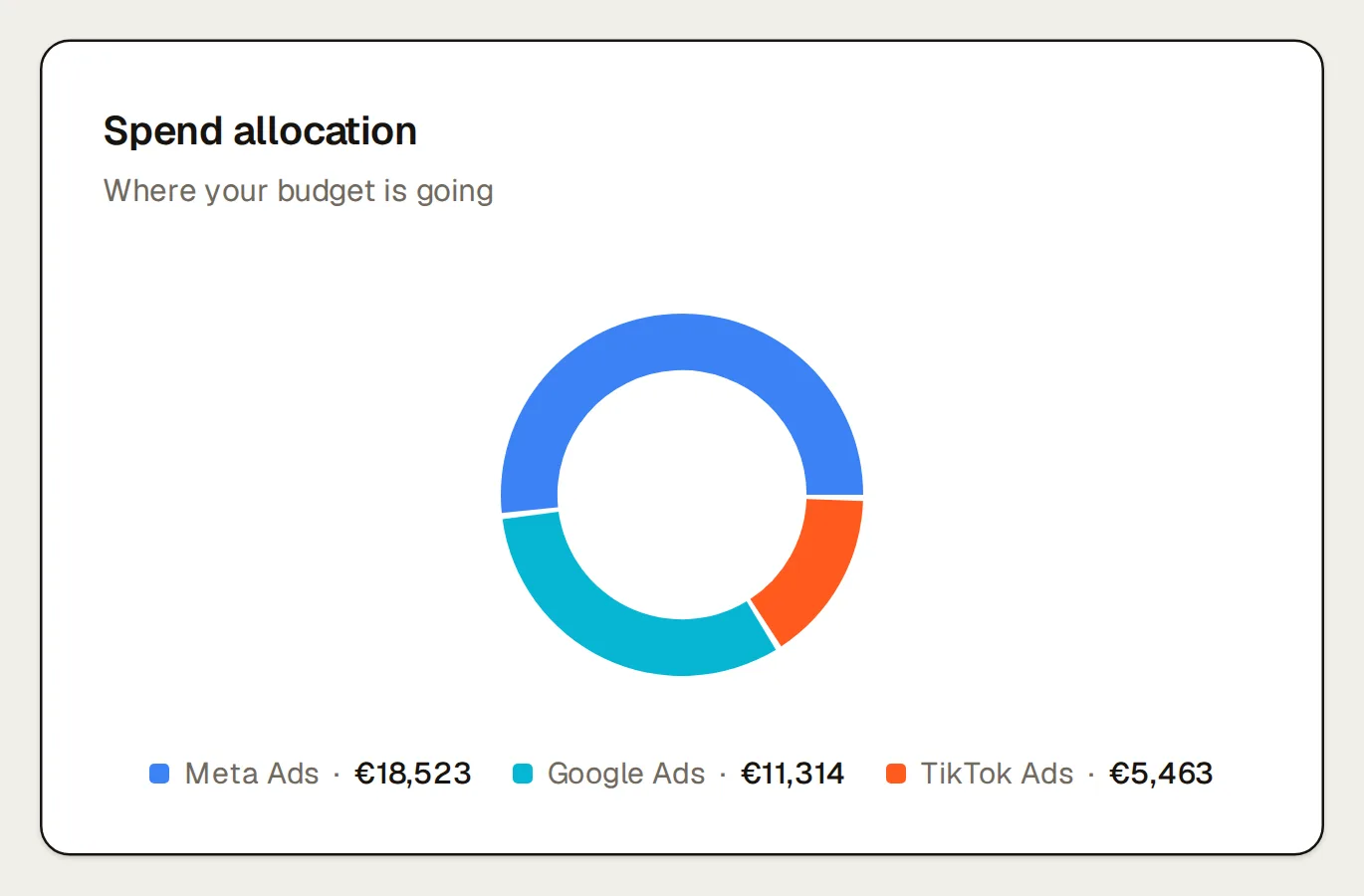
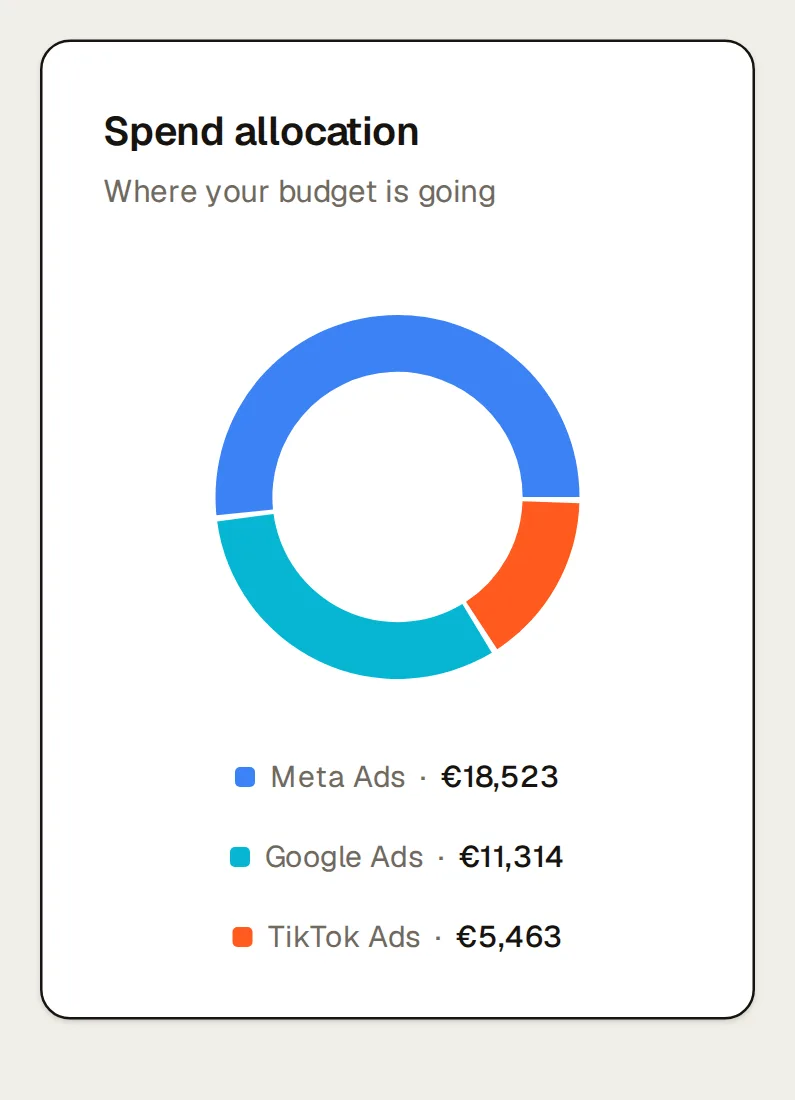
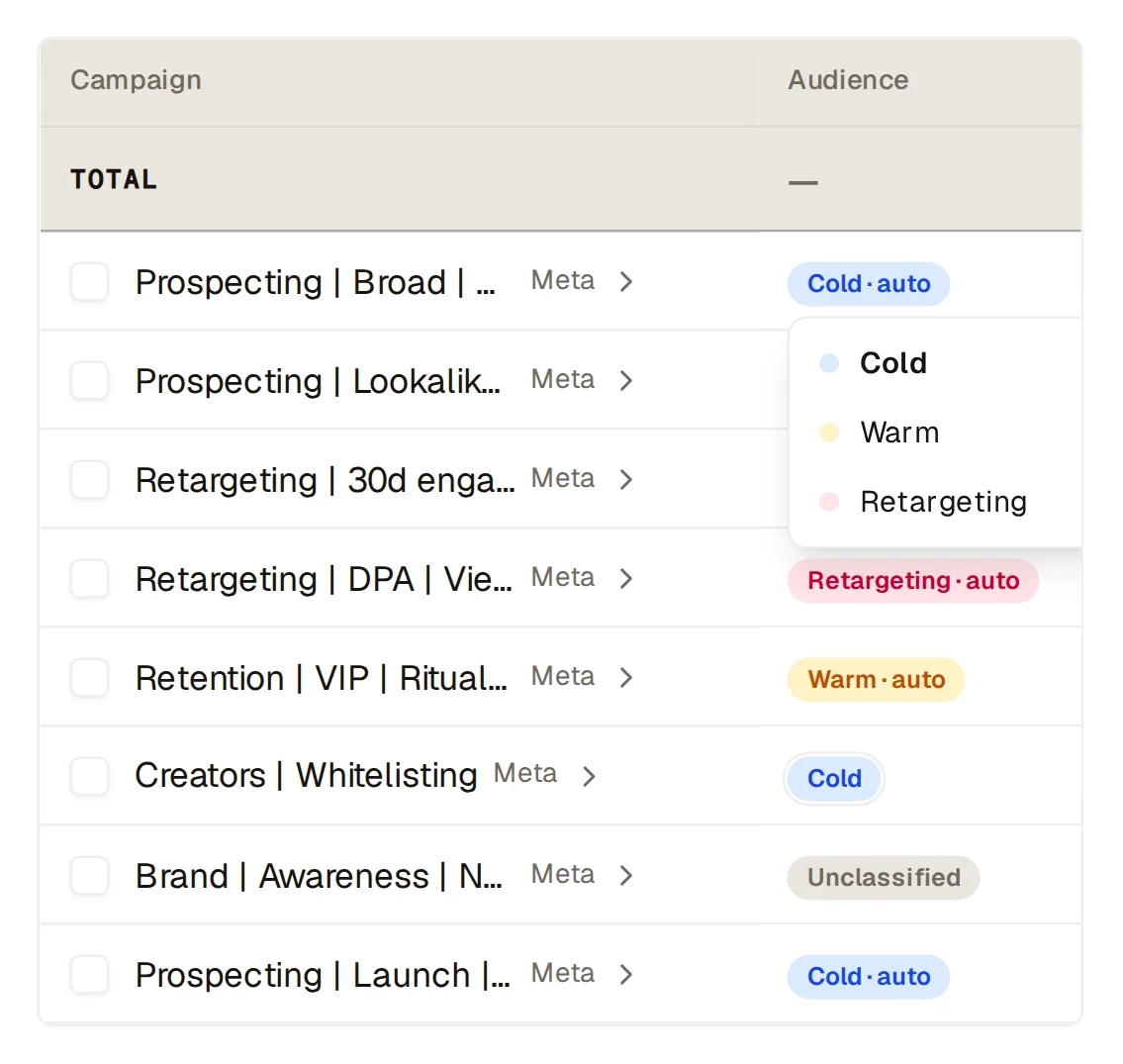
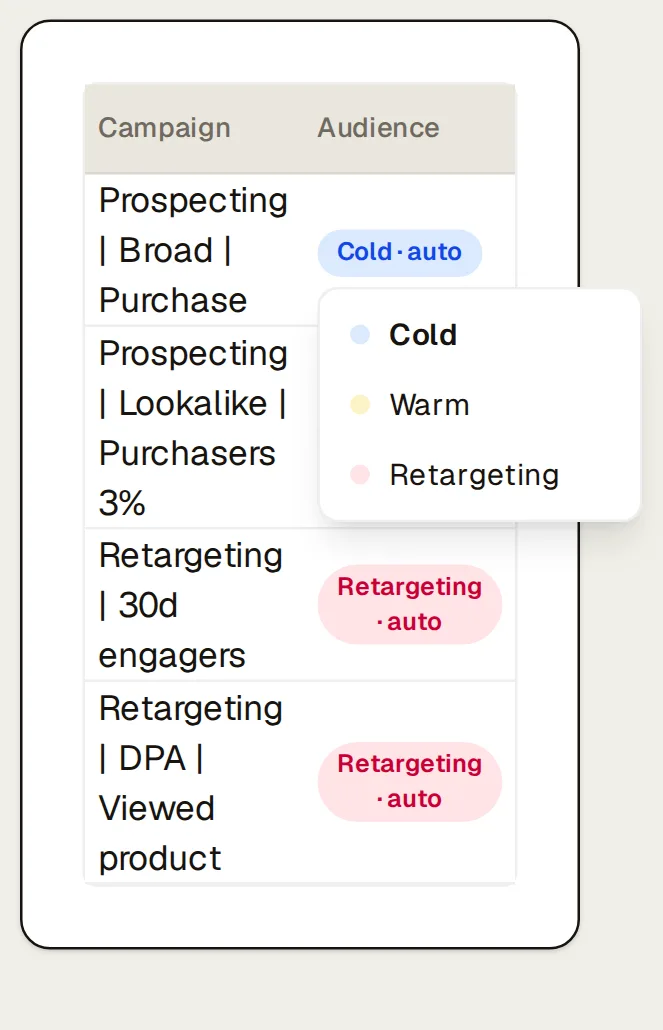
A card per platform shows active campaigns, spend, conversion value, ROAS, CTR, CPC and conversions against the previous period, next to how spend splits across platforms and twelve weeks of store revenue against ad spend. Campaigns carry an audience temperature (cold, warm or retargeting) read from the campaign name on Meta and TikTok; you can override it, and a name that matches nothing stays “Unclassified” instead of defaulting to cold.
The search-term review, done in your AI
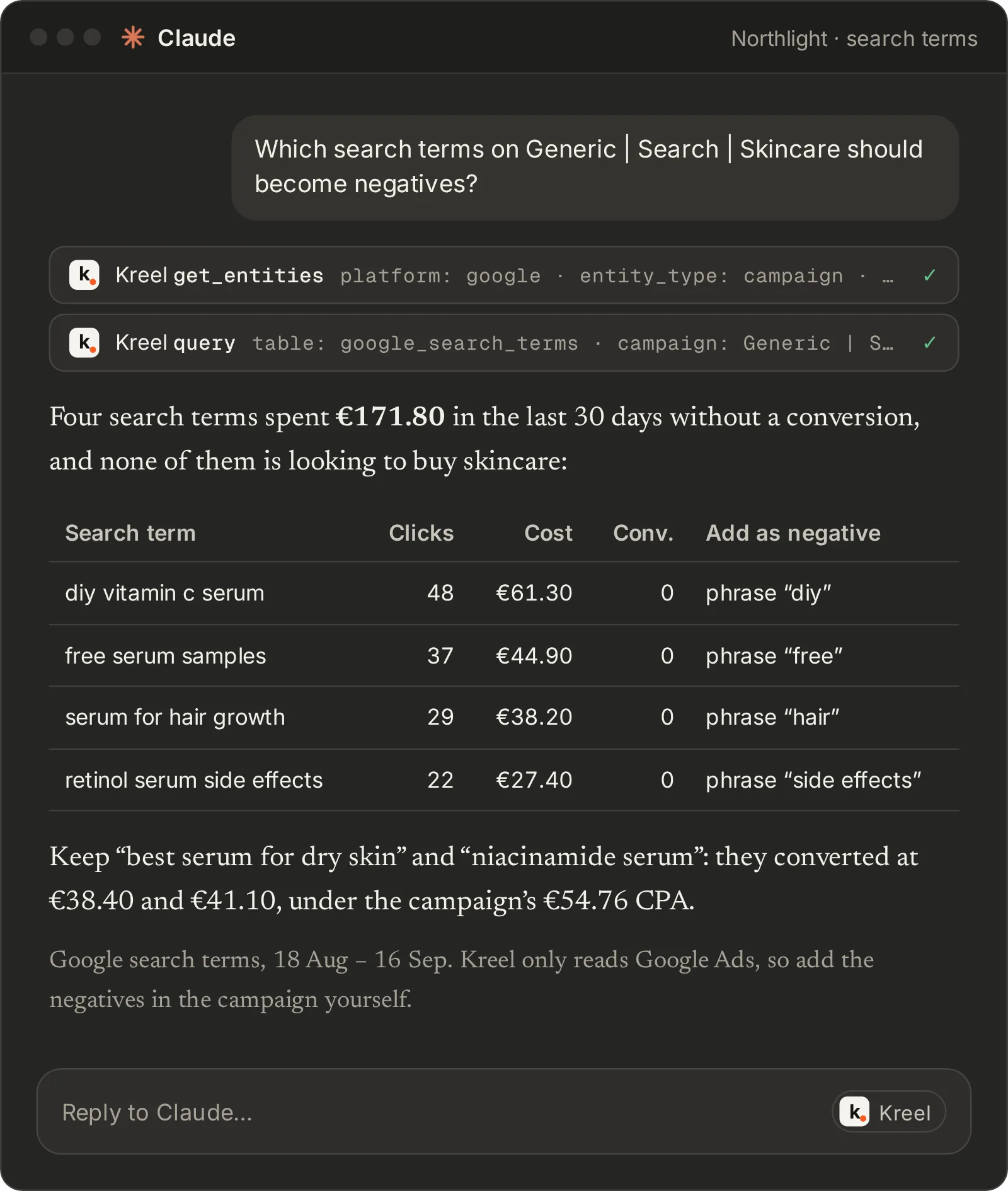
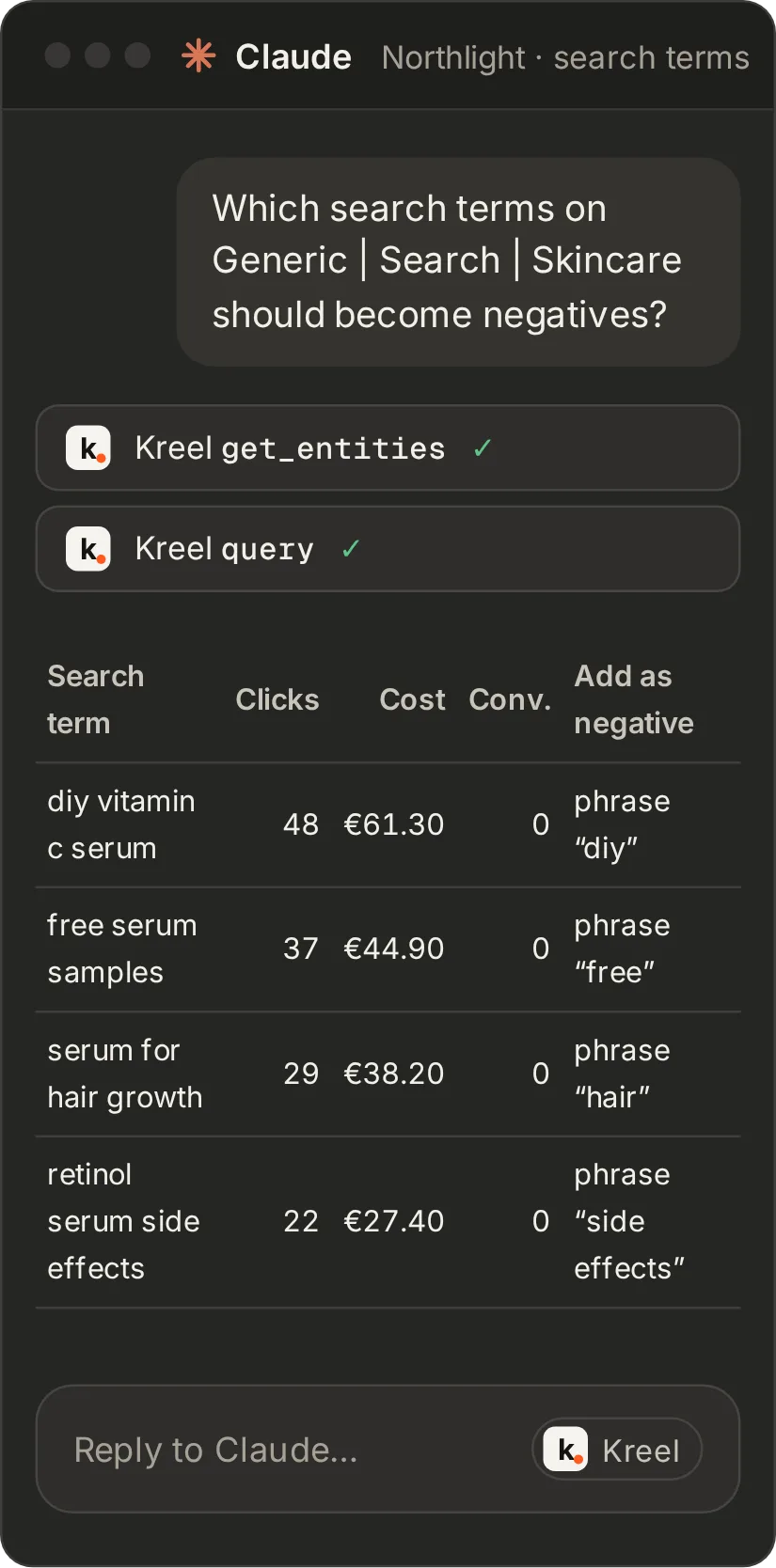
Your AI can read Google detail that has no dashboard page: search terms, keywords with match type and quality score, responsive search ad strength, Performance Max asset groups, Shopping products, and the impression share lost to budget or rank. Ask it which search terms should become negatives, or run the Google Ads account audit. Search-term and keyword detail covers the last 30 days.
Also on this page
- Several ad accounts, one brand.
- Narrow any page to one account, or save groups such as “EU” and “US” across Meta, Google and TikTok. Amounts are converted into the brand’s currency at each day’s rate.
Ask it in your own AI
| Prompt | The question it answers |
|---|---|
| Daily pulse | How did yesterday go across every channel? Anything off in spend, delivery or learning? |
| Google Ads account audit | What’s wrong with the structure of our Google Ads account? |
| TikTok Ads account audit | Which TikTok ad groups use different attribution windows, and how much spend is GMV Max? |
| Scaling candidates | Which campaigns and ads are ready to scale? |
| Budget reallocation | Where should next week’s budget move? |
Every prompt runs in your Claude or ChatGPT. Kreel never writes to your ad accounts.
What it needs
- Meta Ads, Google Ads or TikTok Ads, any one or more. Each platform’s buttons and rows appear once it’s connected.
- Shopify for MER and the store revenue against ad spend chart.
- A budget plan with a spend line per platform for pacing.
Questions about Kreel, answered plainly
Can Kreel pause campaigns or change budgets?
No. Kreel reads Meta, Google and TikTok and never writes to them. Pacing tells you the daily change that would land on plan; making it is up to you.
Why are platform numbers shown side by side instead of added up?
Each platform reports conversions under its own attribution, and several can claim the same order. Kreel labels each platform’s figure as that platform’s and shows it next to what the store recorded, and the Paid ads table only totals what does add up, such as spend and clicks. MER (store revenue over total ad spend) is the whole-business ratio.
Are placement and demographic breakdowns included?
No. Kreel reports at channel, campaign, ad set and ad level.
Which ad platforms are supported?
Meta, Google Ads and TikTok Ads.
How far back does the history go?
Your full Shopify order history, up to two years for Meta, Google Ads, TikTok and GA4, and up to 365 days for Klaviyo. Google search-term and keyword detail covers the last 30 days, email deliverability the last 56 days, and Klaviyo list sizes start the day Kreel first records them, because Klaviyo doesn’t keep list history. The most recent 30 days arrive first and older history fills in behind them.
Grow your ecommerce brand from one place.
14 days free. A card is needed to start, and nothing is charged until the trial ends.