Creative Intelligence. Which hooks, formats and angles are working?
Kreel looks at the video or image and the copy of your Meta and TikTok ads, tags the hook, format, angle, offer and persona, and shows which ideas return at scale. A lifecycle board shows which ads are in testing, scaling or wearing out. It’s part of every plan, so there’s no separate creative tool to pay for.
14 days free. A card is needed to start, and nothing is charged until the trial ends.
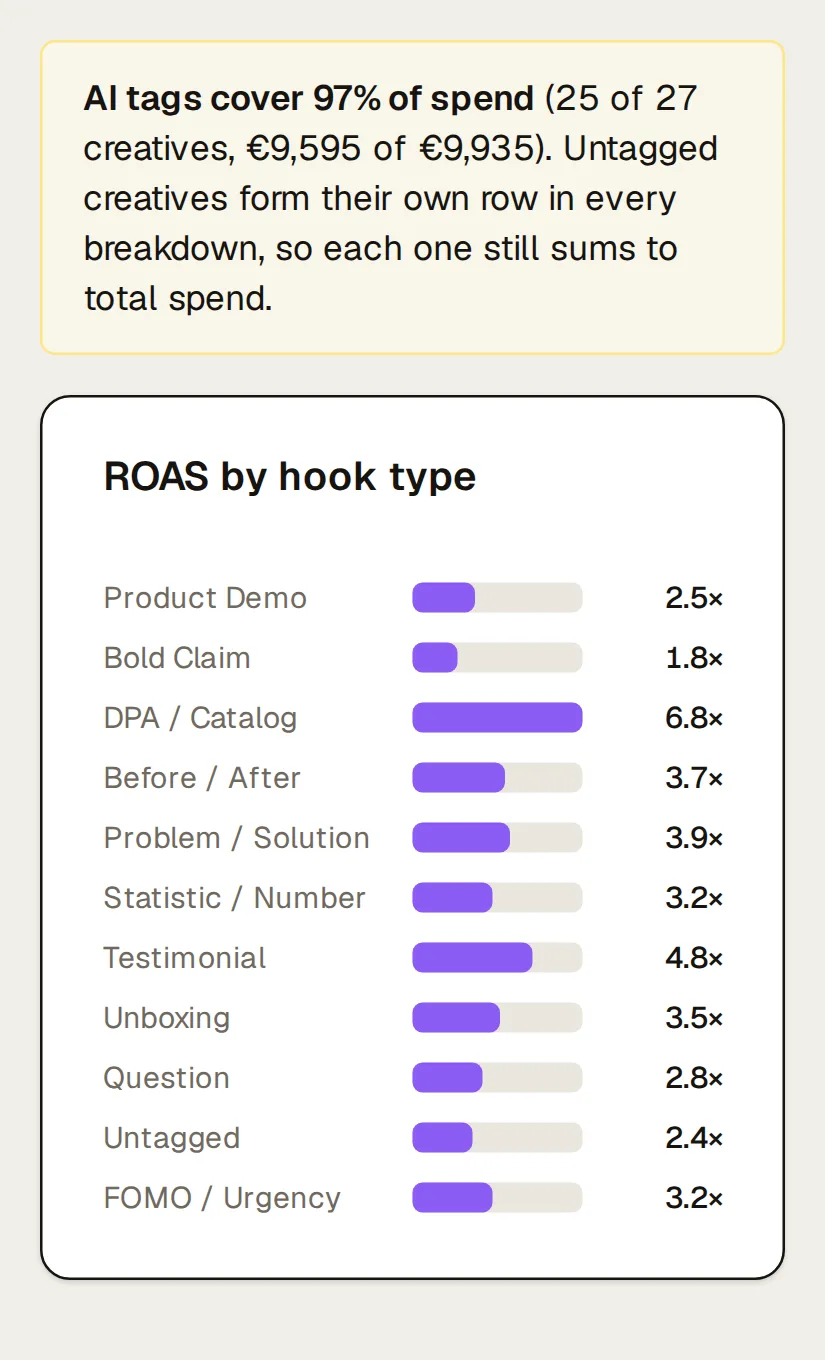
ROAS by hook, format, angle and persona
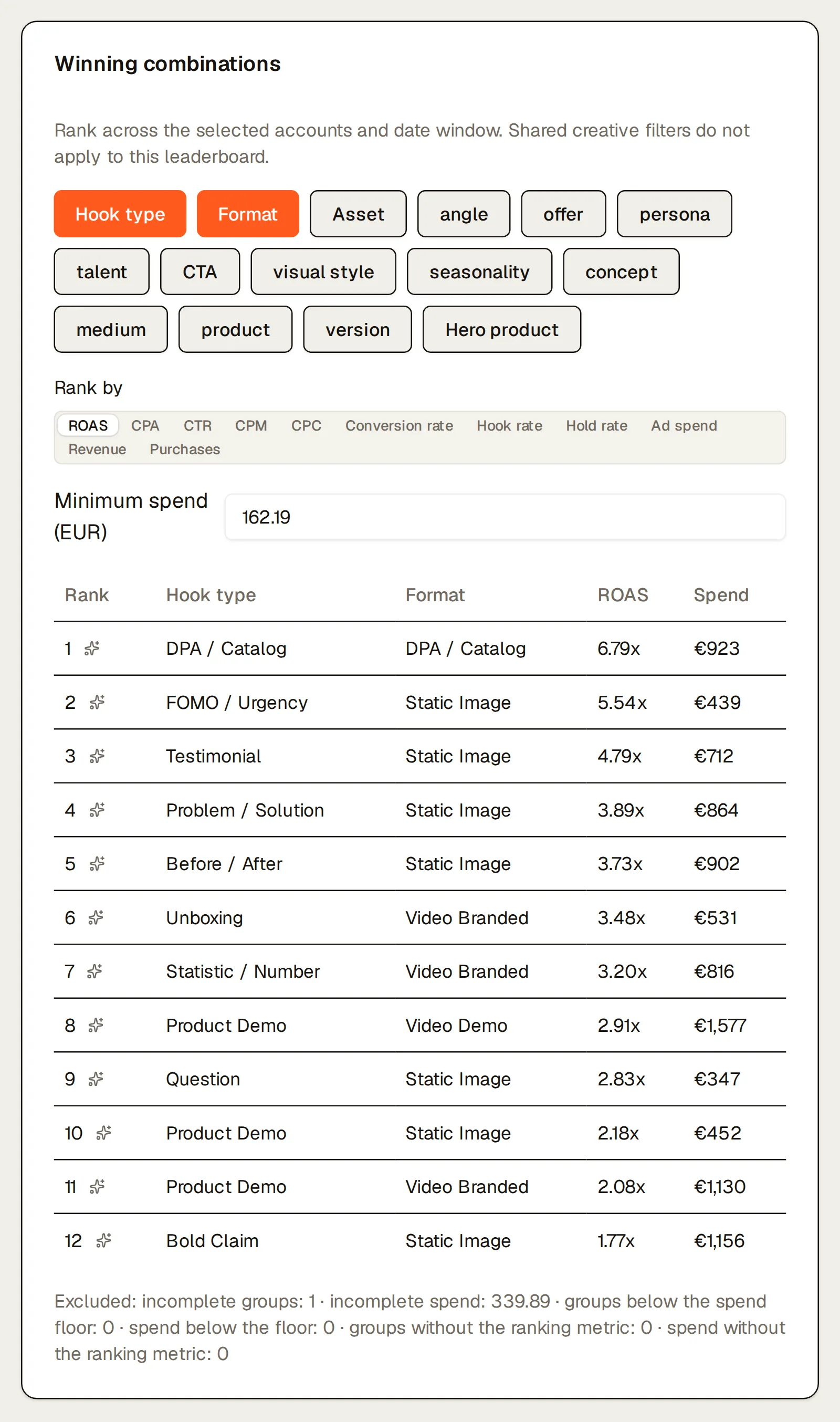
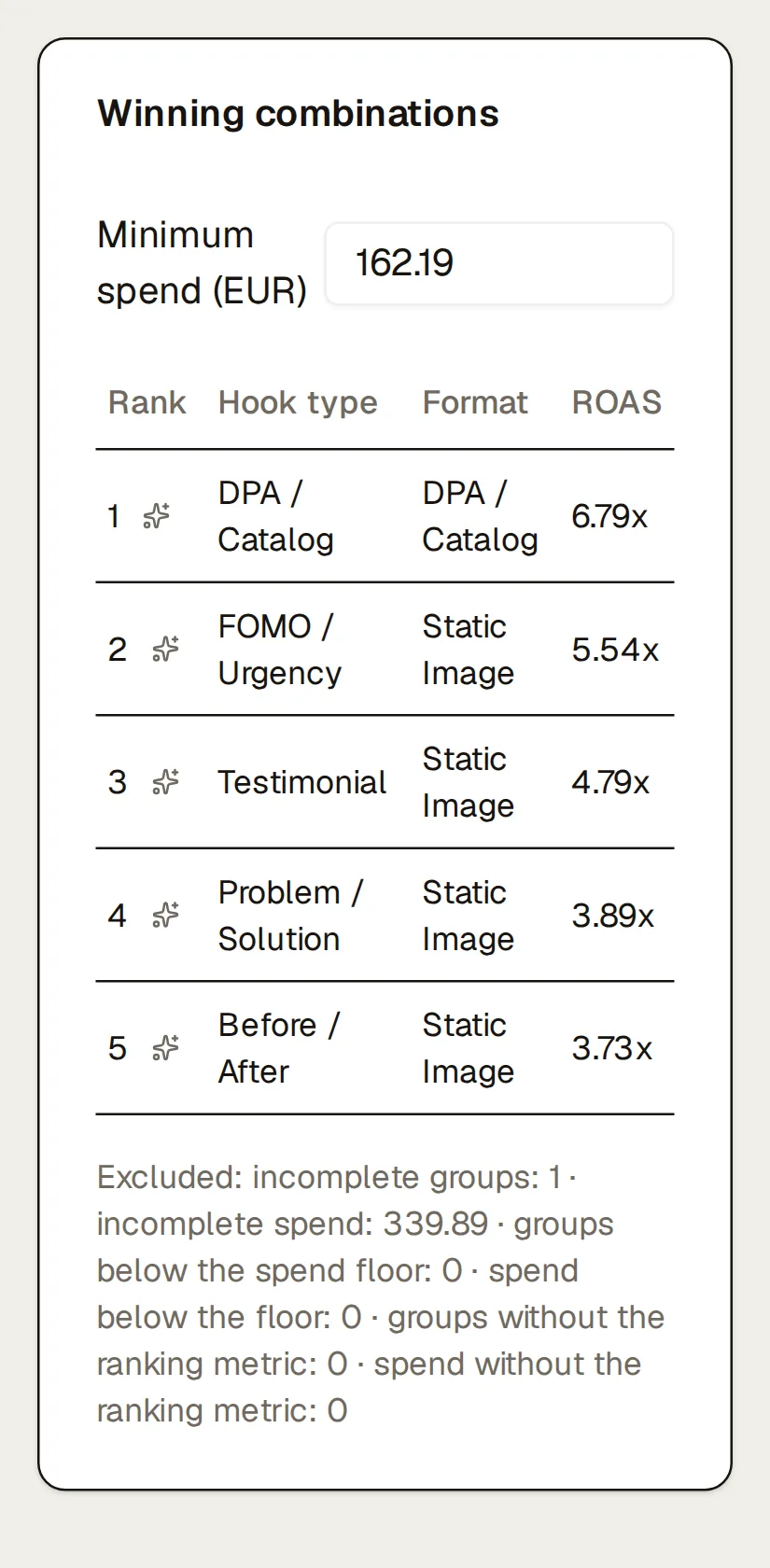
Each tag gets its own breakdown: hook type, format, media type, audience temperature, angle, offer, persona, talent, call to action, visual style, seasonality, the tags you define yourself, and on Meta, the fields in your ad names. Every table shows creatives, spend, share of spend, ROAS, ROAS in the first 14 days, CTR, and on Meta, hook rate and hold rate. A line above says how much of spend is tagged, so a thin breakdown never passes for the whole account. The winning-combinations card ranks combinations such as hook and format above a spend floor you set, so one lucky ad can’t top the list.
How the tags get there
After each sync, an AI model watches each new video (or looks at each image) and reads the ad copy, then fills in the tags. They’re a starting point and can be wrong: edit any tag by hand and Kreel never overwrites it. Ads whose video or image the platform doesn’t expose (some TikTok Spark Ads, live and catalog formats) get a placeholder and no tags, and the page counts those ads separately.
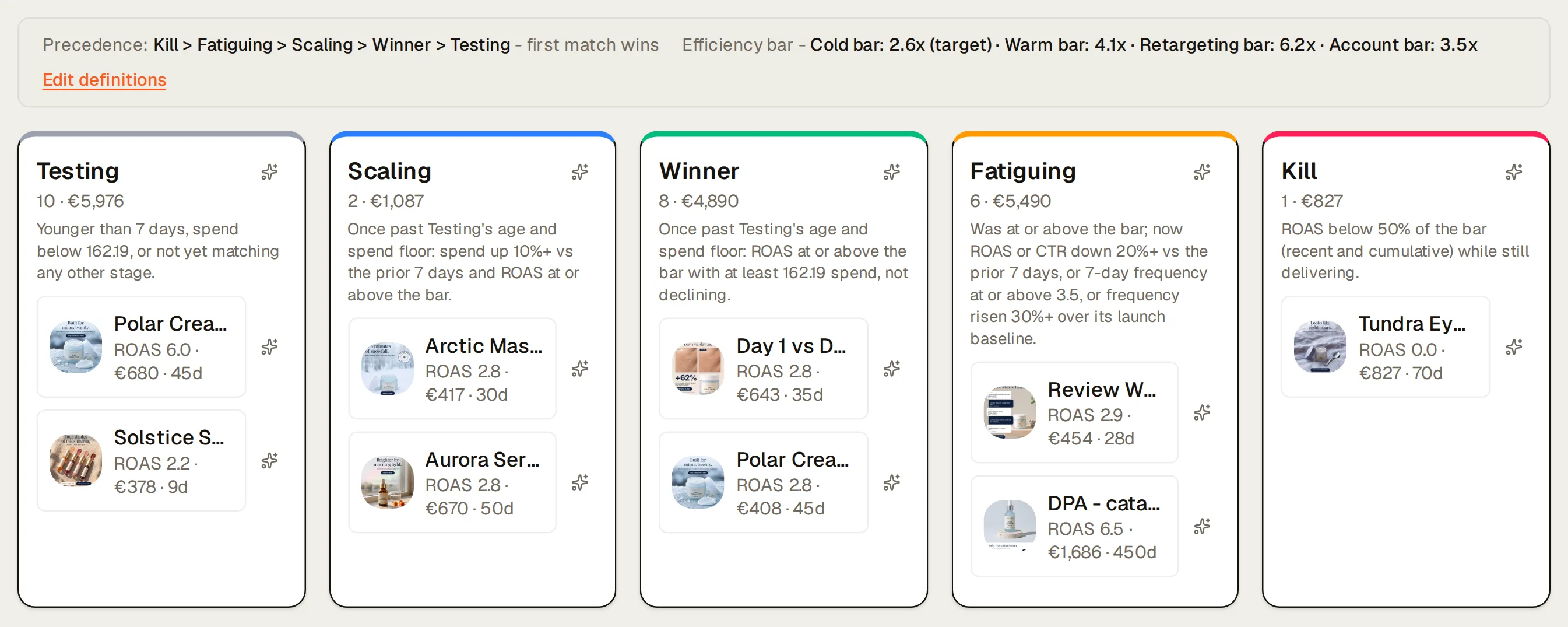
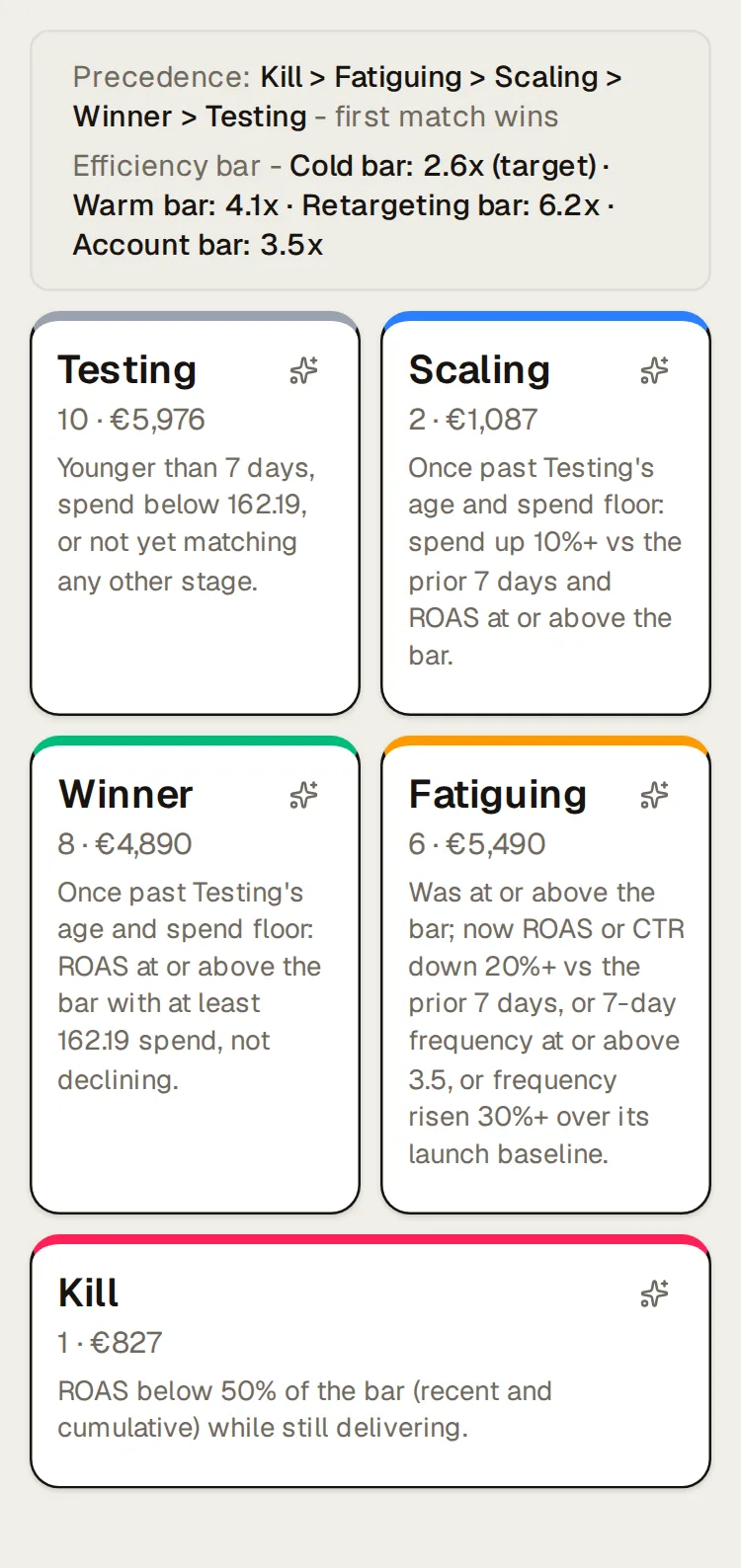
Testing, scaling, winner, fatiguing, kill
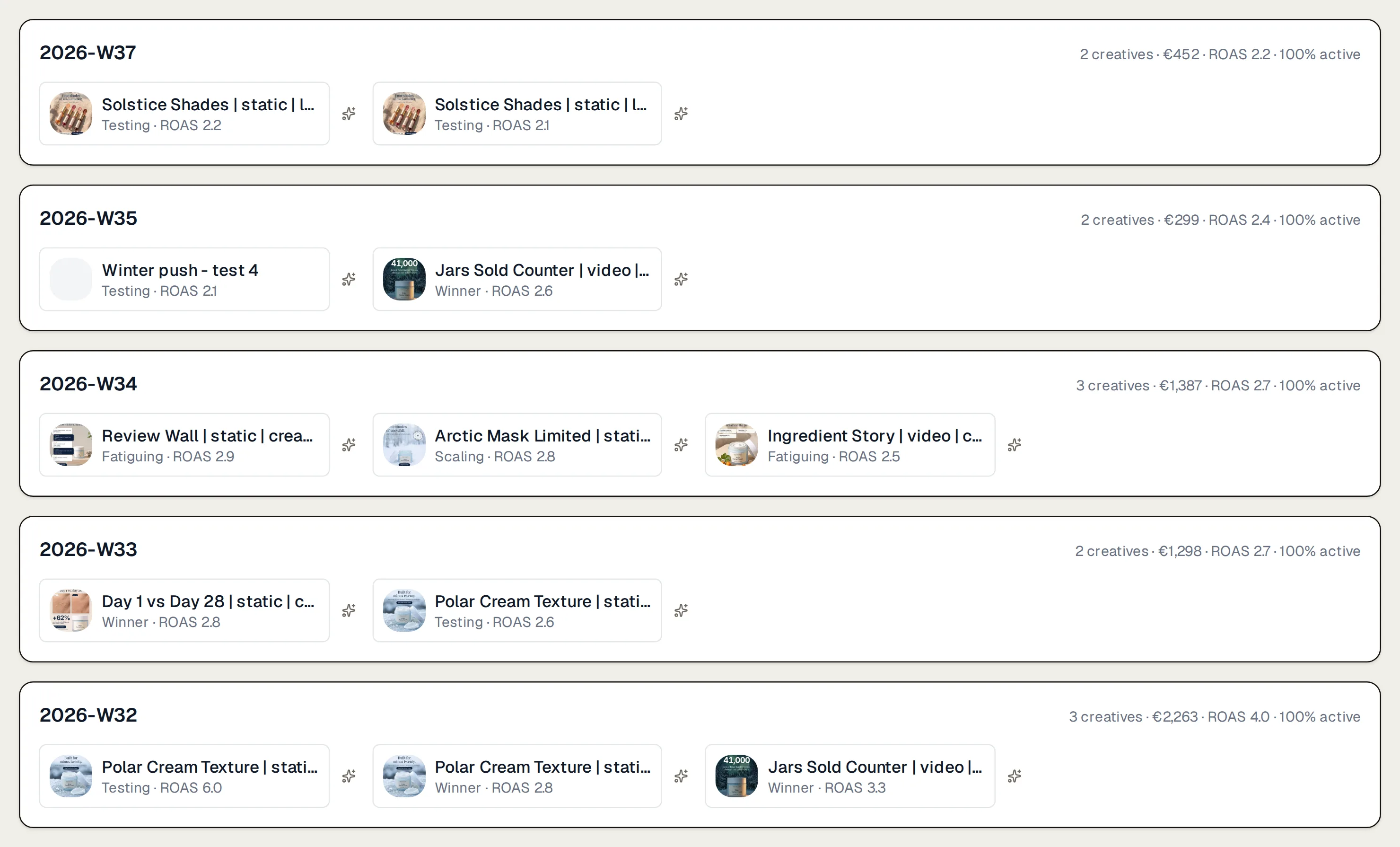
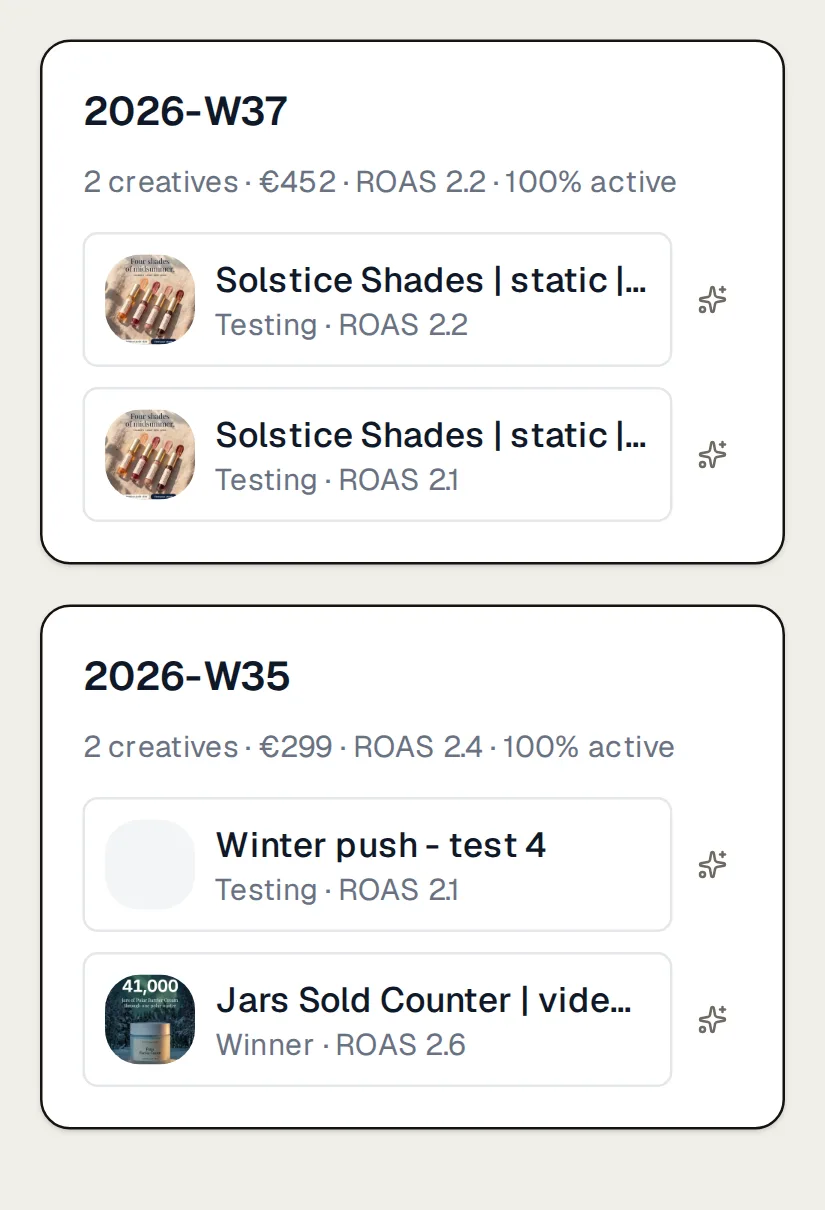
Every active ad sits in one column, placed by your brand’s own rules, and each column prints its rule with the real numbers (Scaling: “spend up 10%+ vs the prior 7 days and ROAS at or above the bar”). Kill means live and failing, not paused. Batch timeline groups ads by launch week, with each batch’s spend, ROAS and how many are still running, so you can see which batch worked. You can change the numbers behind each stage per brand and per platform. The stages come from those written rules, with no model involved.
Meta ads that are wearing out
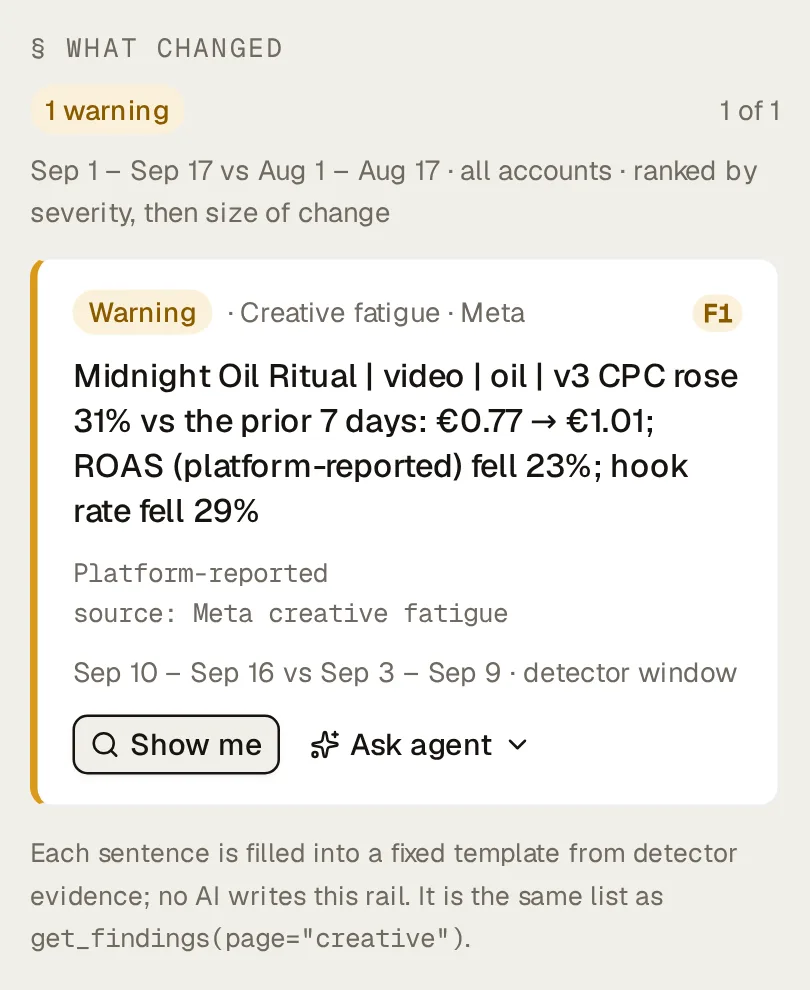
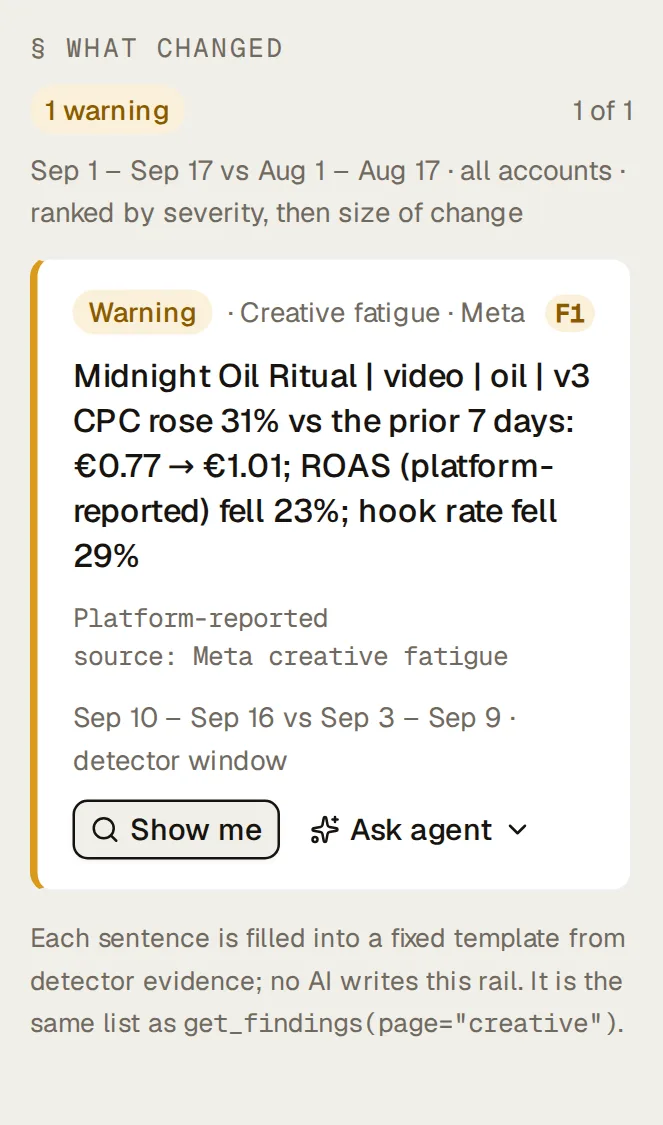
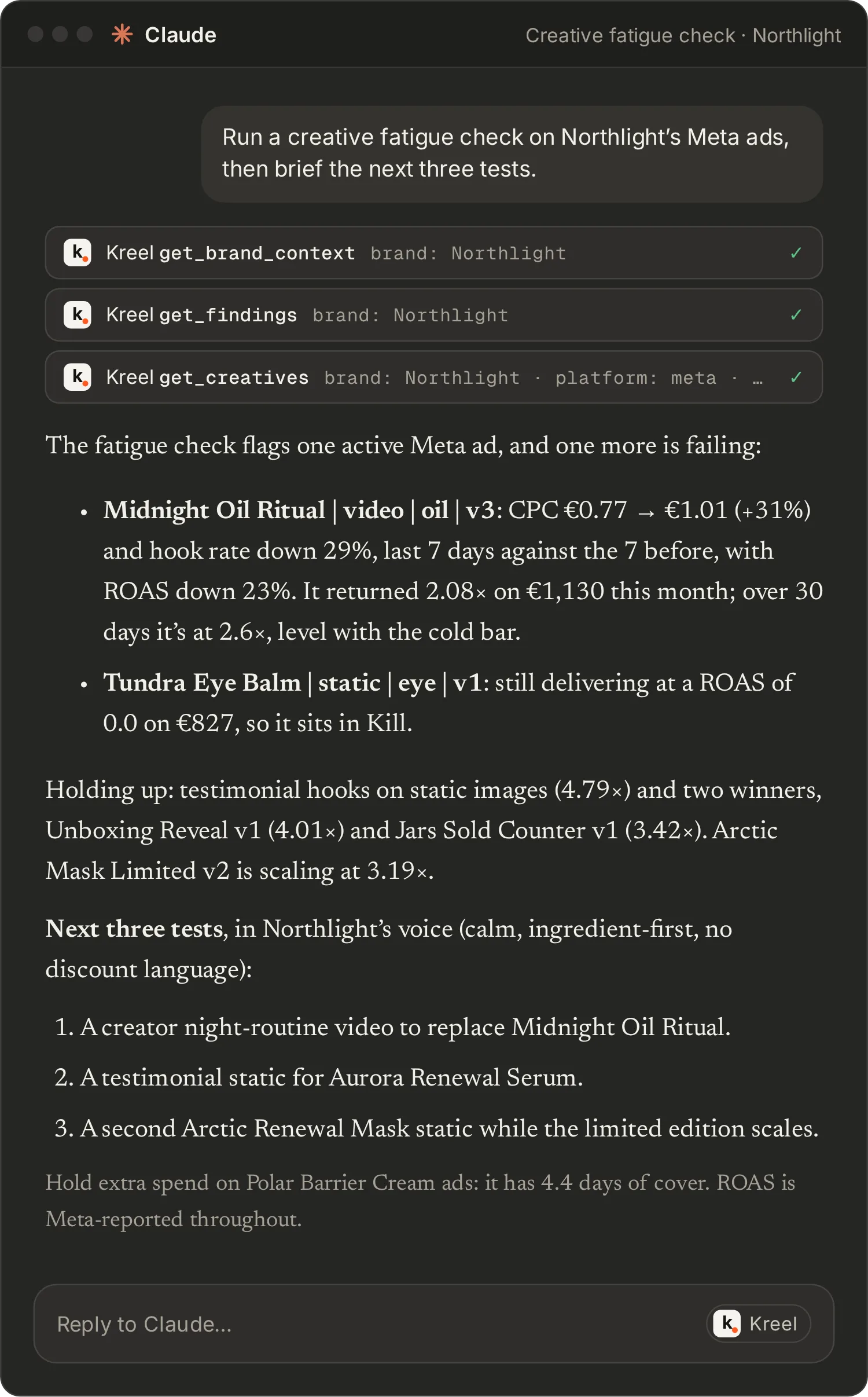
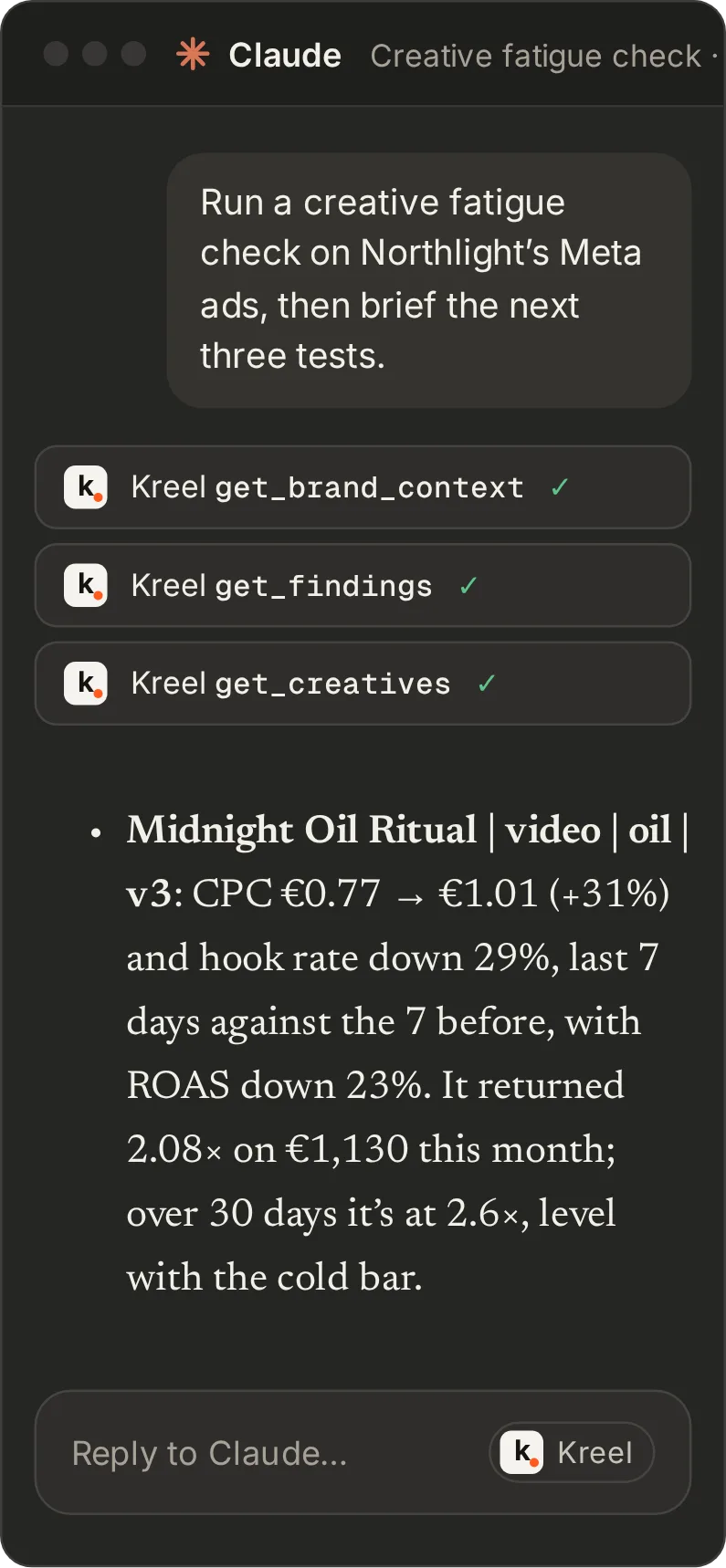
A separate check compares each Meta ad’s last seven days with the seven before. Kreel flags the ad when its cost per click is up 25% and its hook rate or ROAS is down 20% (both thresholds are yours to change), as long as it had enough spend, impressions and clicks for the comparison to mean something. Flags show on the Creative page, in the weekly brief, in the daily alert and in your AI, for example “CPC up 31%, hook rate down 29%”.
This check is Meta only. TikTok doesn’t report the video metrics it needs.
Each ad, with its numbers and its history
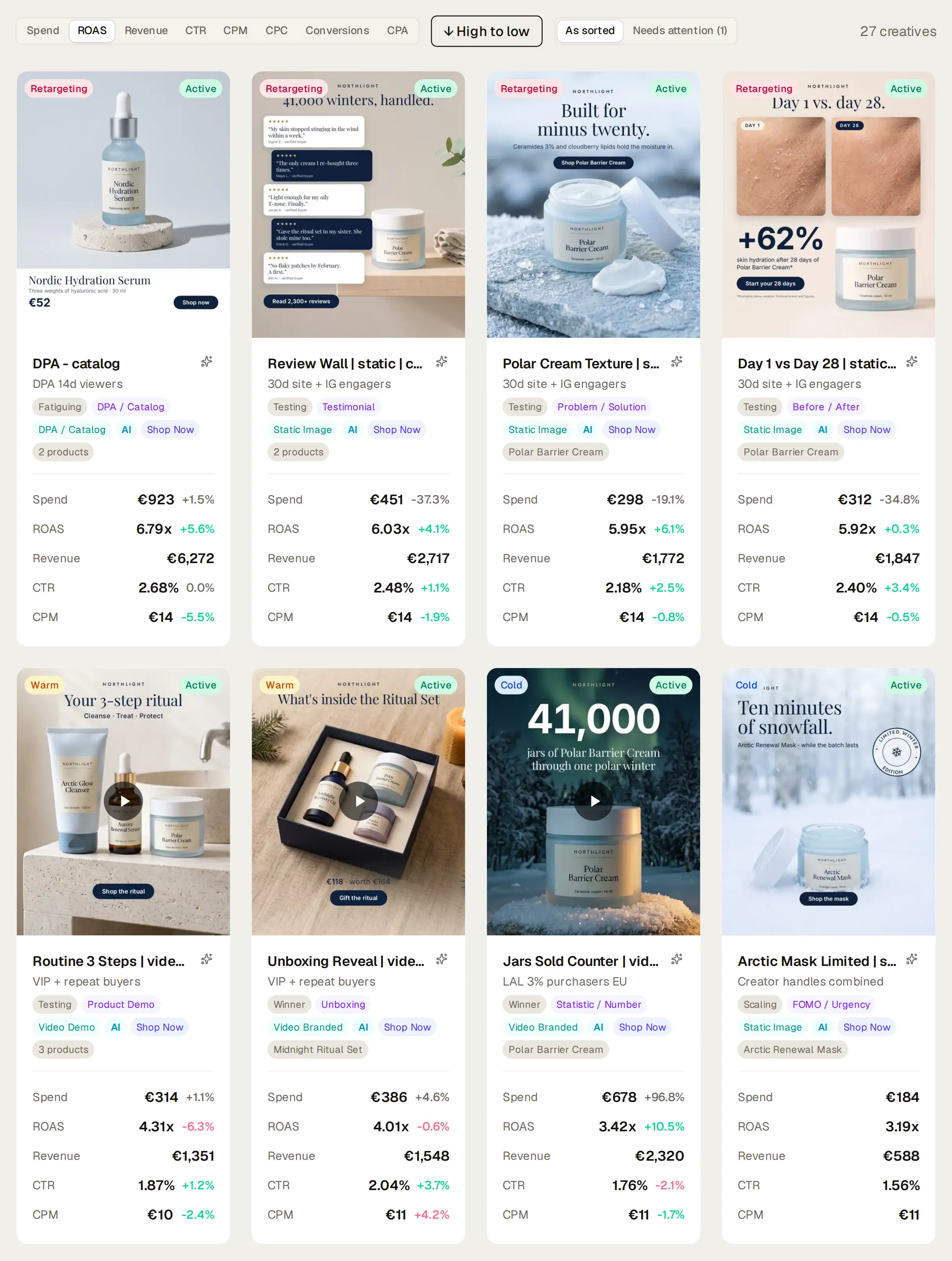
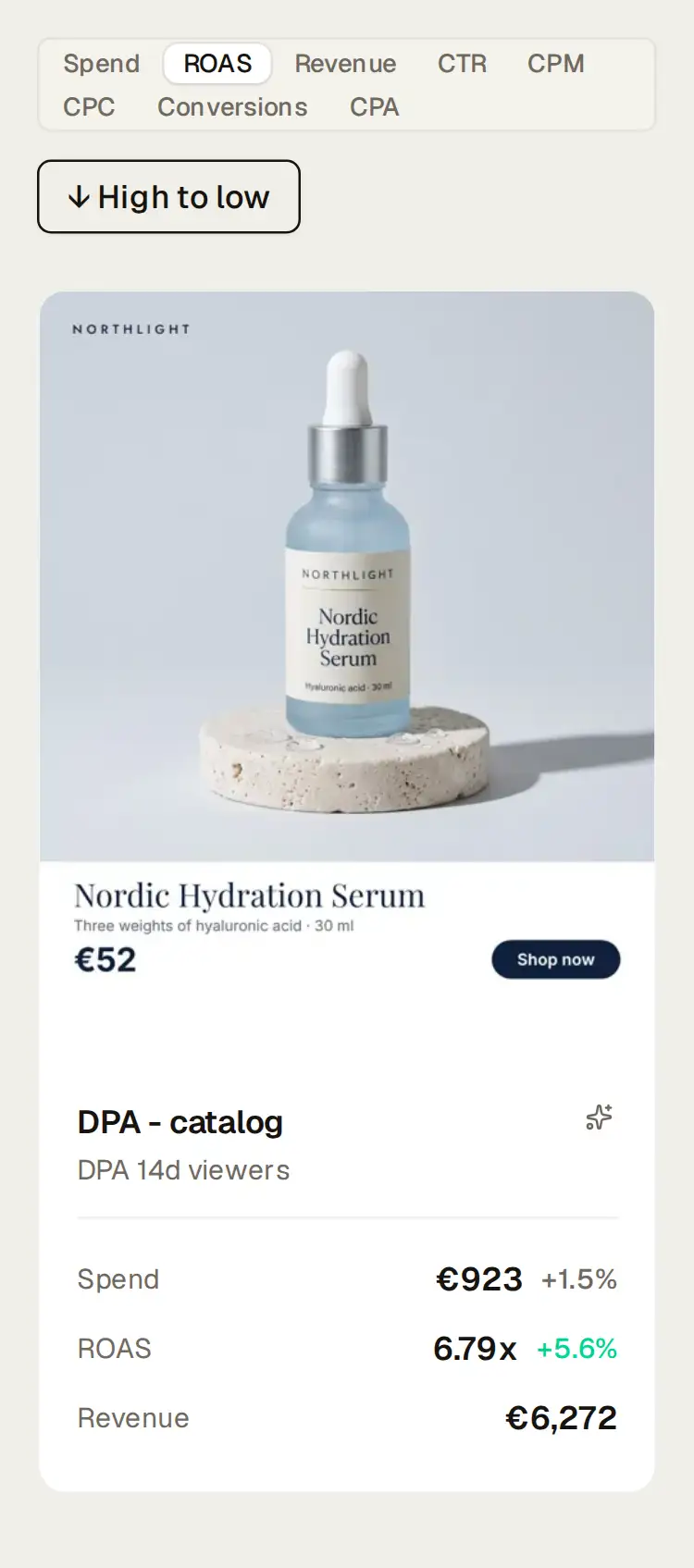
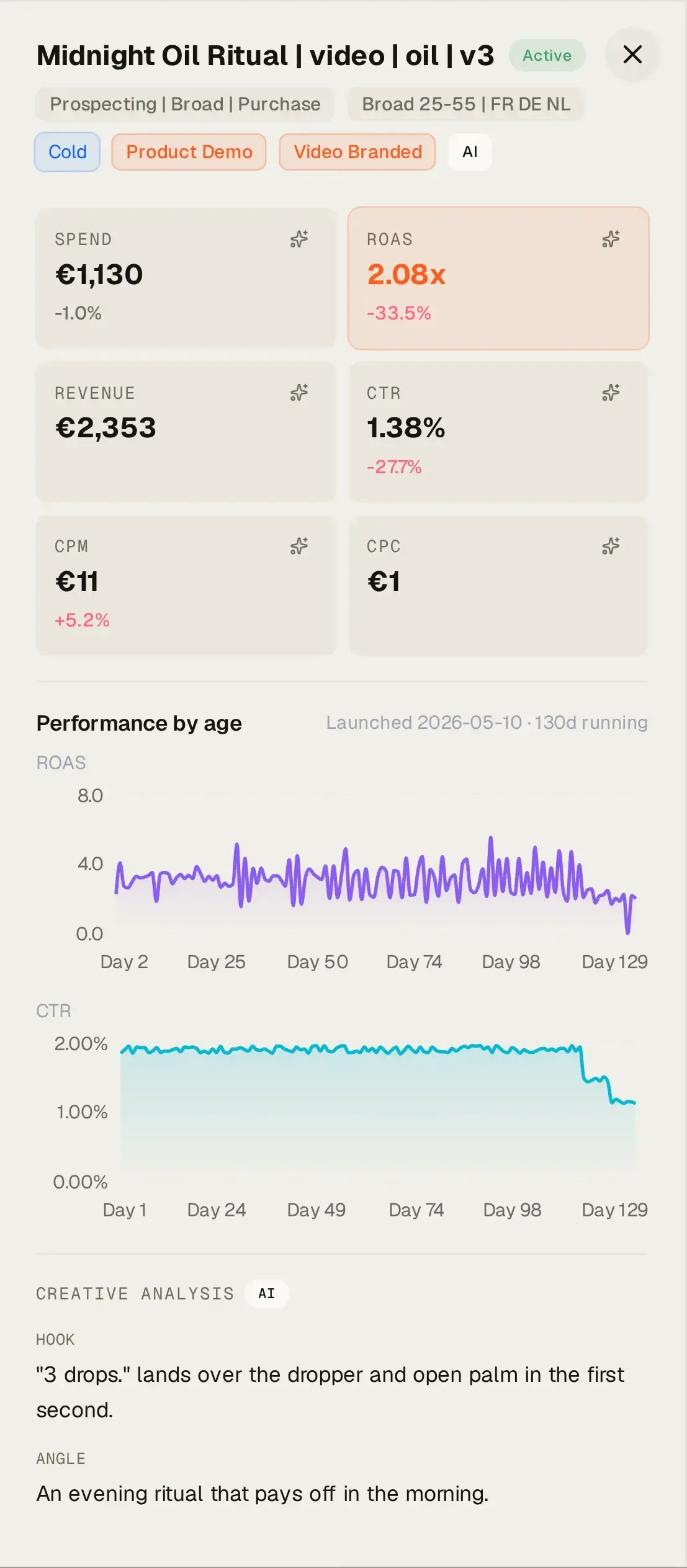
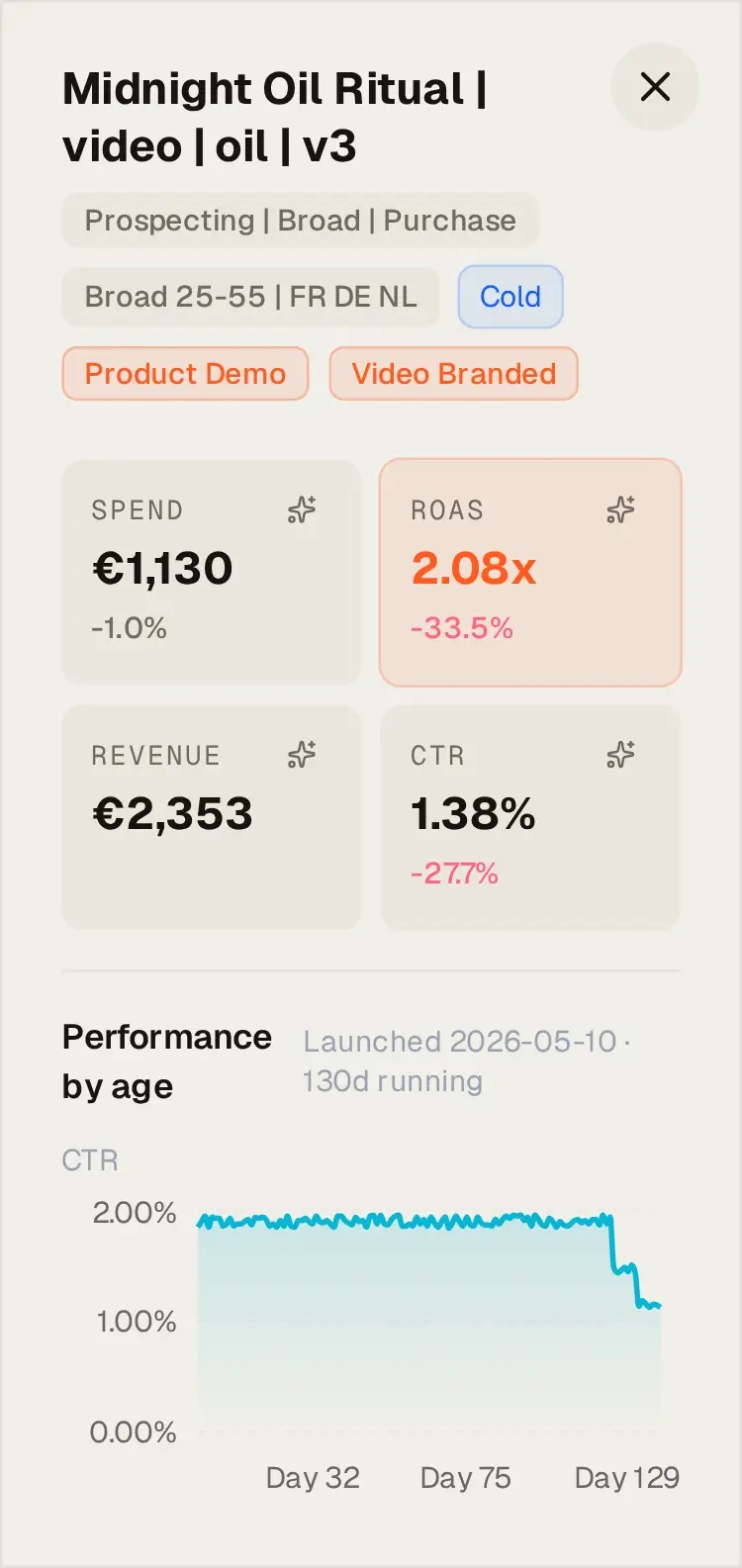
The overview names the top and bottom performers and the ads that need attention, with the reason in words (“ROAS -48% vs prior 7d”). The gallery shows your ads as cards, with the video or image where the platform provides it, plus stage, tags, spend, ROAS, revenue, CTR and CPM, each with its change against the previous period. Sort by any of them, or by what needs attention. Open one to play the video, see its ROAS and CTR by day since launch, read the AI’s summary of the hook and angle, and check the copy, landing page and call to action.
Also on this page
- One platform at a time.
- Meta and TikTok each get their own view, because they attribute differently and their raw ROAS shouldn’t sit side by side.
- Your own tags.
- Add up to five dimensions of your own (hero product, campaign theme) and the tagger fills them in.
- Your naming convention.
- On Meta, tell Kreel how your ad names are built (
UGC_Testimonial_PainPoint) and each part becomes a column to break results down by.
| On the Creative page | Meta | TikTok |
|---|---|---|
| AI tags and your own tag dimensions | Yes | Yes |
| Lifecycle stages, with rules per brand and platform | Yes | Yes |
| Hook rate and hold rate | Yes | not reported |
| Reach, frequency and link clicks | Yes | not reported |
| Fatigue check | Yes | No |
| Ad-name fields as breakdowns | Yes | No |
| Revenue and ROAS | as Meta reports it | as TikTok reports it |
Ask it in your own AI
| Prompt | The question it answers |
|---|---|
| Creative fatigue check | Which active Meta ads are wearing out, and which should I replace first? |
| Next test briefing | What should the next creative batch test, based on what’s working? |
| Creative review | How did creative perform this month on each platform, against the month before? |
| Scaling candidates | Which ads are ready for more budget? |
| Draft Meta ads from a folder | Write primary text and headlines for these new creatives, in our brand voice. |
Drafts come back as text to paste into Ads Manager. Nothing is created or uploaded in Meta.
Every prompt runs in your Claude or ChatGPT. Kreel never writes to your ad accounts.
What it needs
- Meta Ads and/or TikTok Ads, with ad-level data.
- Shopify (optional) to link ads to the products they feature.
- Google Ads has no creative page; your AI can read Google asset performance as numbers only.
Questions about Kreel, answered plainly
Which ads does Creative Intelligence cover?
Meta and TikTok, one platform at a time, because the two attribute differently. Google Ads has no creative view. Ads whose video or image the platform doesn’t expose (some TikTok Spark Ads, live and catalog formats) still show their numbers and stage, with a placeholder instead of the media and no tags.
Is creative revenue checked against Shopify orders?
No. Creative revenue and ROAS are what Meta or TikTok report for each ad. Kreel doesn’t join ads to individual orders, so creative results are compared within a platform, not against the store.
Can I compare Meta and TikTok creative side by side?
Not in one table. The platforms attribute differently, so Kreel shows one platform at a time. Tags work the same way on both, so you can compare which ideas win on each.
Why are hook rate and hold rate missing on TikTok?
TikTok doesn’t report them per ad, so Kreel leaves them out instead of showing zero. The same goes for reach, frequency and link clicks.
Who tags the creative, and where does the media go?
An AI model does. Kreel sends ad creative media (images and video) and the associated ad copy to a third-party AI model provider, on its free tier, to generate the descriptive tags. Under the free-tier terms, the provider may use submitted content to improve its products. The provider is listed with our other sub-processors in the privacy policy.
What if a tag is wrong?
Change it. Tags arrive after each sync and are a starting point, not a verdict. A tag set by hand is marked as yours and the tagger never overwrites it.
Grow your ecommerce brand from one place.
14 days free. A card is needed to start, and nothing is charged until the trial ends.