What goes in the client report?

Every brand has a weekly growth brief, computed from the same data as the dashboard, with every number linked to where it came from. Publish it as a password-protected link in one click, or have your AI write a fuller report from a template and hold it until you’ve approved it. The same brief works for a founder or a board, and digests, alerts and scheduled reports go out by themselves.

14 days free. A card is needed to start, and nothing is charged until the trial ends.
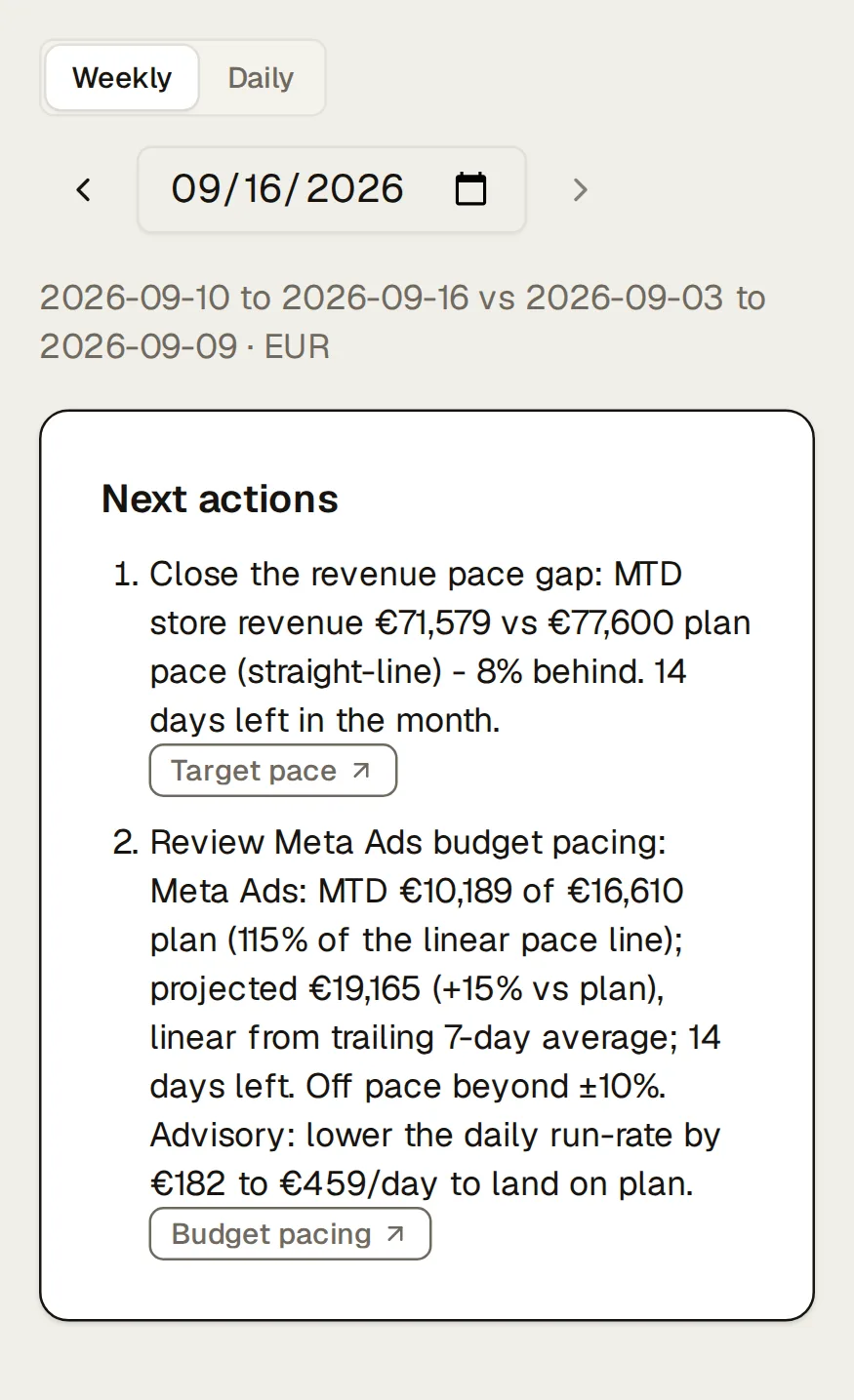
Northlight’s weekly growth brief (2026-09-10 to 2026-09-16 vs 2026-09-03 to 2026-09-09 · EUR): its next actions, each cited to its source (“Close the revenue pace gap”, “Review Meta Ads budget pacing”), then targets and plan: month-to-date revenue, new customers, ad spend, MER and new-customer CAC against plan pace, and each ad platform’s budget pacing. Northlight’s weekly growth brief (2026-09-10 to 2026-09-16 vs 2026-09-03 to 2026-09-09 · EUR): its next actions, each cited to its source (“Close the revenue pace gap”, “Review Meta Ads budget pacing”), then targets and plan: month-to-date revenue, new customers, ad spend, MER and new-customer CAC against plan pace, and each ad platform’s budget pacing.
The weekly growth brief and its next actions. Demo data: Northlight, a fictional brand.

The weekly growth brief

Pick any past week and the brief shows store revenue and refunds, ad spend, MER, new customers and their CAC, Klaviyo revenue, contribution margin, the biggest campaign movers, pace against target and budget, anomalies, Meta creative fatigue, inventory risk, experiments due, and next actions from fixed rules. Every number links to the dashboard page it came from. No AI writes it; it’s computed from the same data as the dashboard, so it’s the same for everyone who opens it.

A daily edition compares yesterday with the same weekday last week and the four weeks before. Kreel sends it by email, and to Slack if you like, at the hour you choose, once that day’s data has arrived.
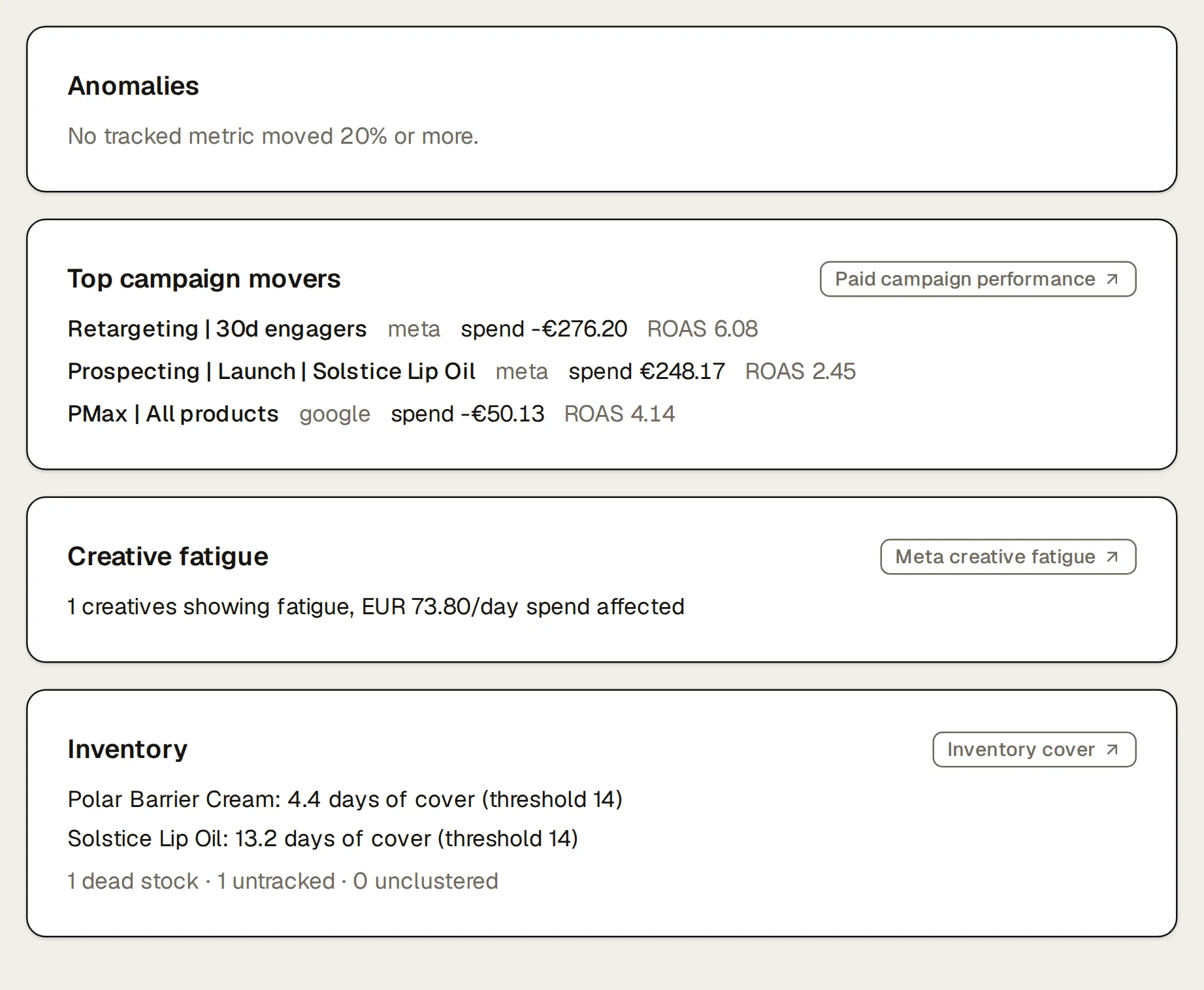
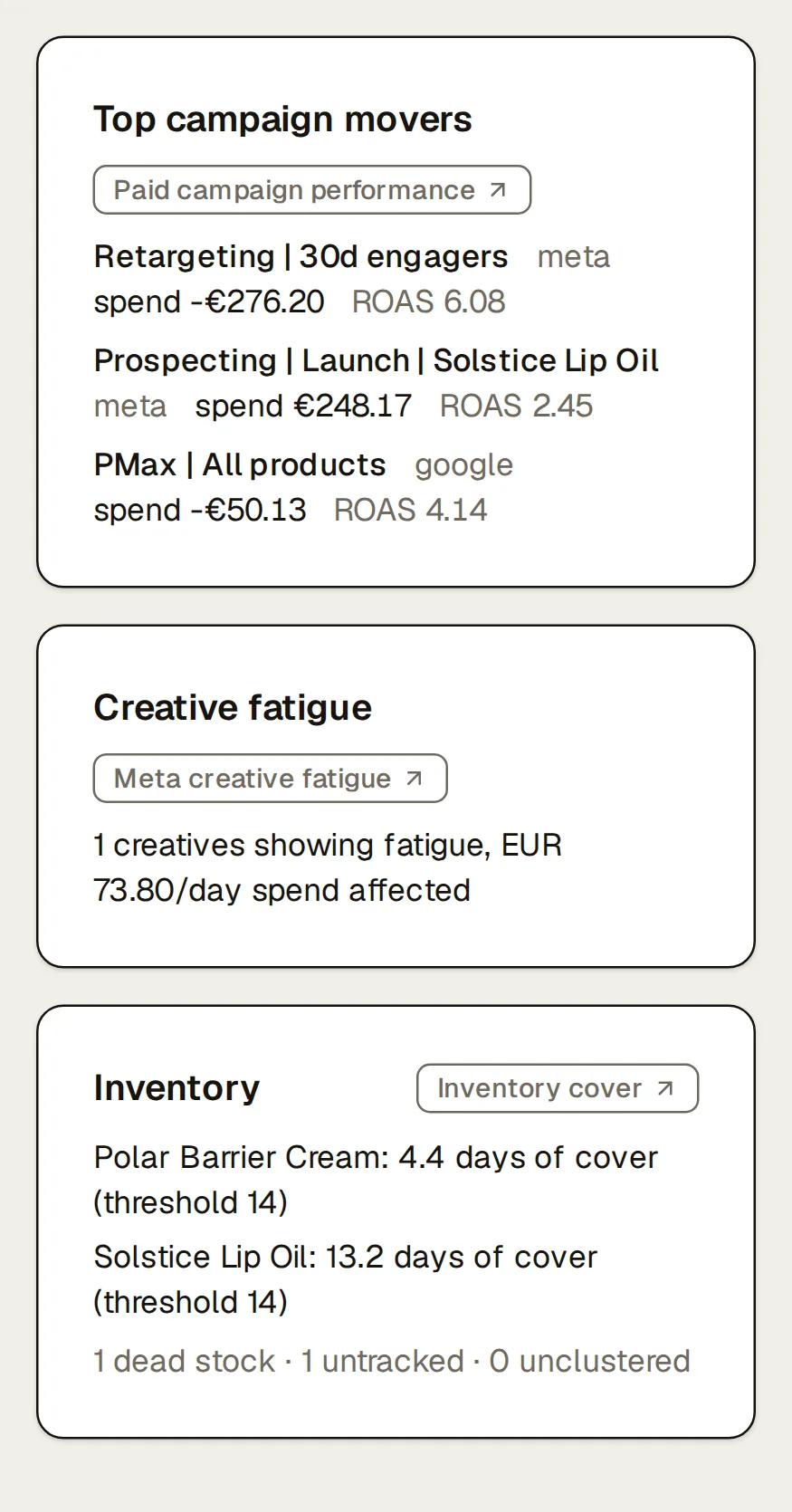
Further down Northlight’s weekly growth brief: anomalies (“No tracked metric moved 20% or more.”), the top campaign movers by spend change, creative fatigue (“1 creatives showing fatigue, EUR 73.80/day spend affected”) and inventory (Polar Barrier Cream: 4.4 days of cover (threshold 14); Solstice Lip Oil: 13.2 days of cover (threshold 14)), each section with the chip naming its source. Further down Northlight’s weekly growth brief: anomalies (“No tracked metric moved 20% or more.”), the top campaign movers by spend change, creative fatigue (“1 creatives showing fatigue, EUR 73.80/day spend affected”) and inventory (Polar Barrier Cream: 4.4 days of cover (threshold 14); Solstice Lip Oil: 13.2 days of cover (threshold 14)), each section with the chip naming its source.
Further down the brief: campaign movers, creative fatigue and inventory. Demo data: Northlight, a fictional brand.

Client reports as a password-protected link

Publish the brief as a report from the Briefs page. For anything more, your AI builds the report from a template (client weekly report, monthly board summary, quarterly business review, promo recap, creative review) and publishes it. Every number in the template comes from Kreel with its source, and the AI writes the words around them. Reports live at your own handle on reports.kreel.ai behind one password per brand, and the reports list shows how many times each one was viewed.

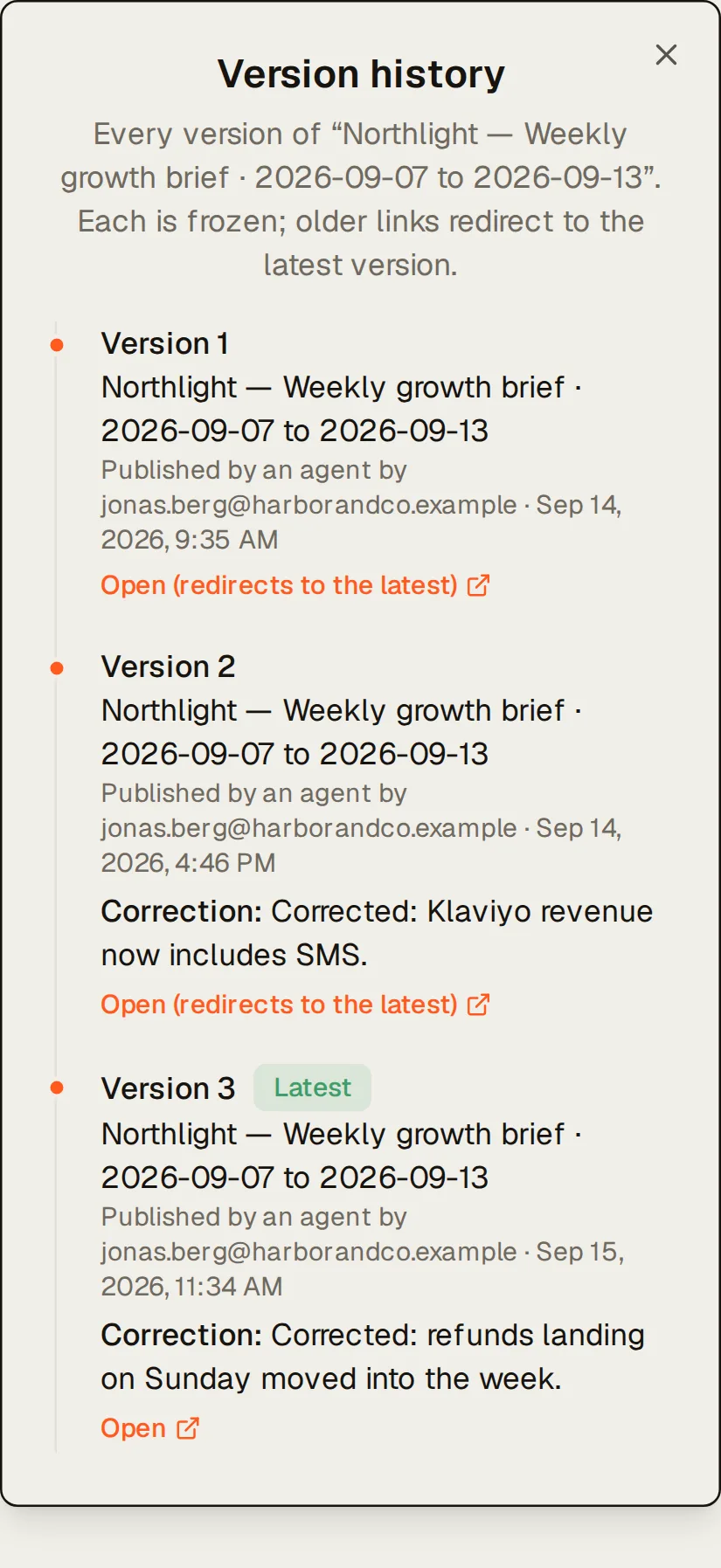
Reports carry your agency’s name, logo and accent colour, plus a small “Powered by Kreel”. Published reports never change. If you need to fix one, publish a correction: it becomes a new version with a note saying what changed, and the client’s old link forwards to it.
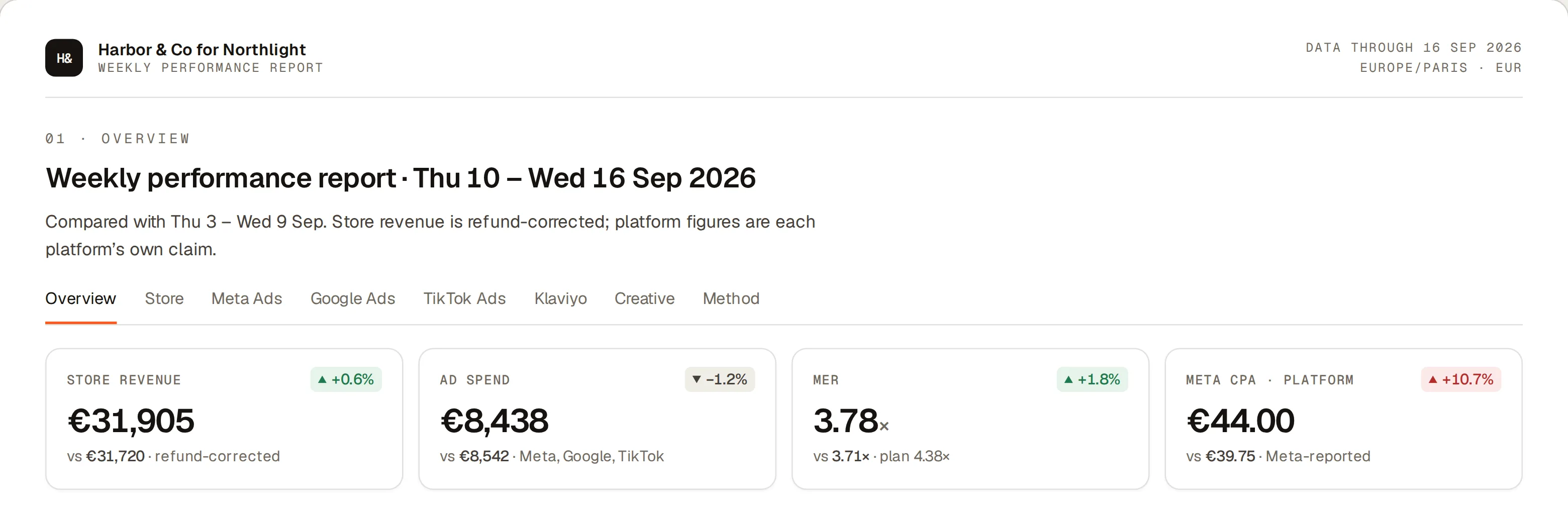
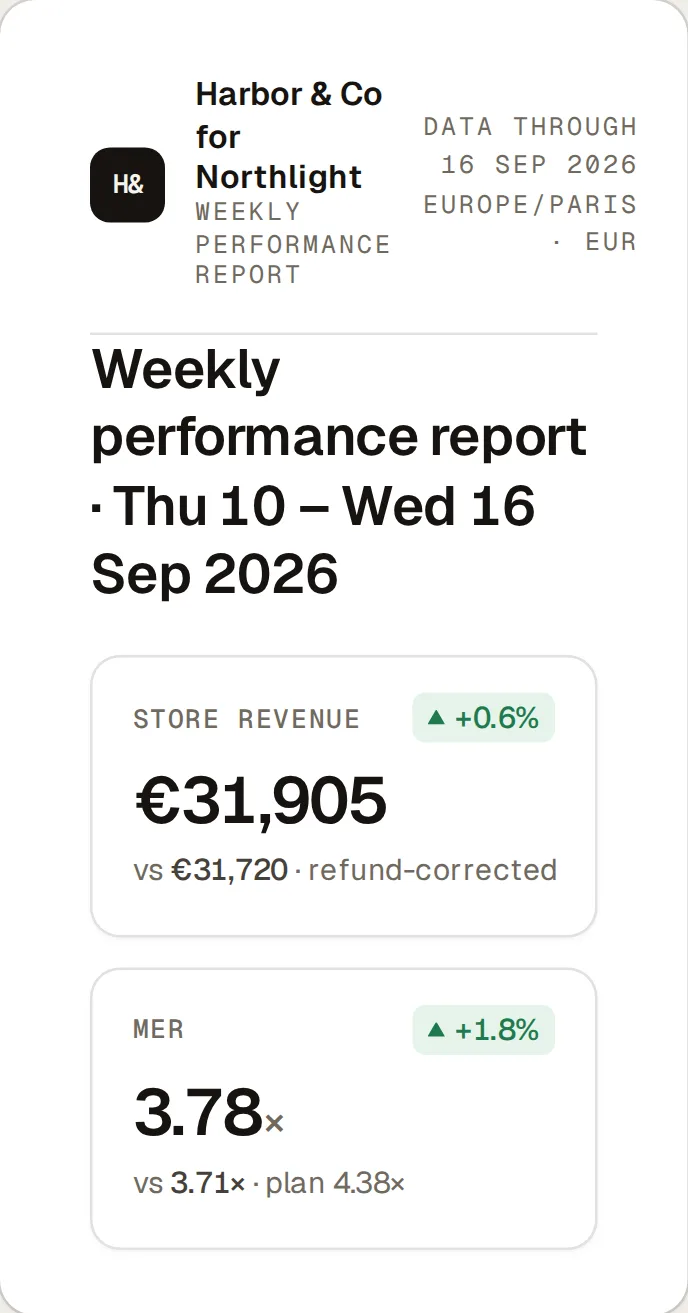
A hosted weekly performance report from Harbor & Co for Northlight, Thursday 10 to Wednesday 16 September against the week before: store revenue €31,905, ad spend €8,438, MER 3.78× against a 4.38× plan, and Meta’s own CPA of €44.00. A hosted weekly performance report from Harbor & Co for Northlight, Thursday 10 to Wednesday 16 September against the week before: store revenue €31,905, ad spend €8,438, MER 3.78× against a 4.38× plan, and Meta’s own CPA of €44.00.
A client report as the client opens it. Demo data: Northlight, a fictional brand.
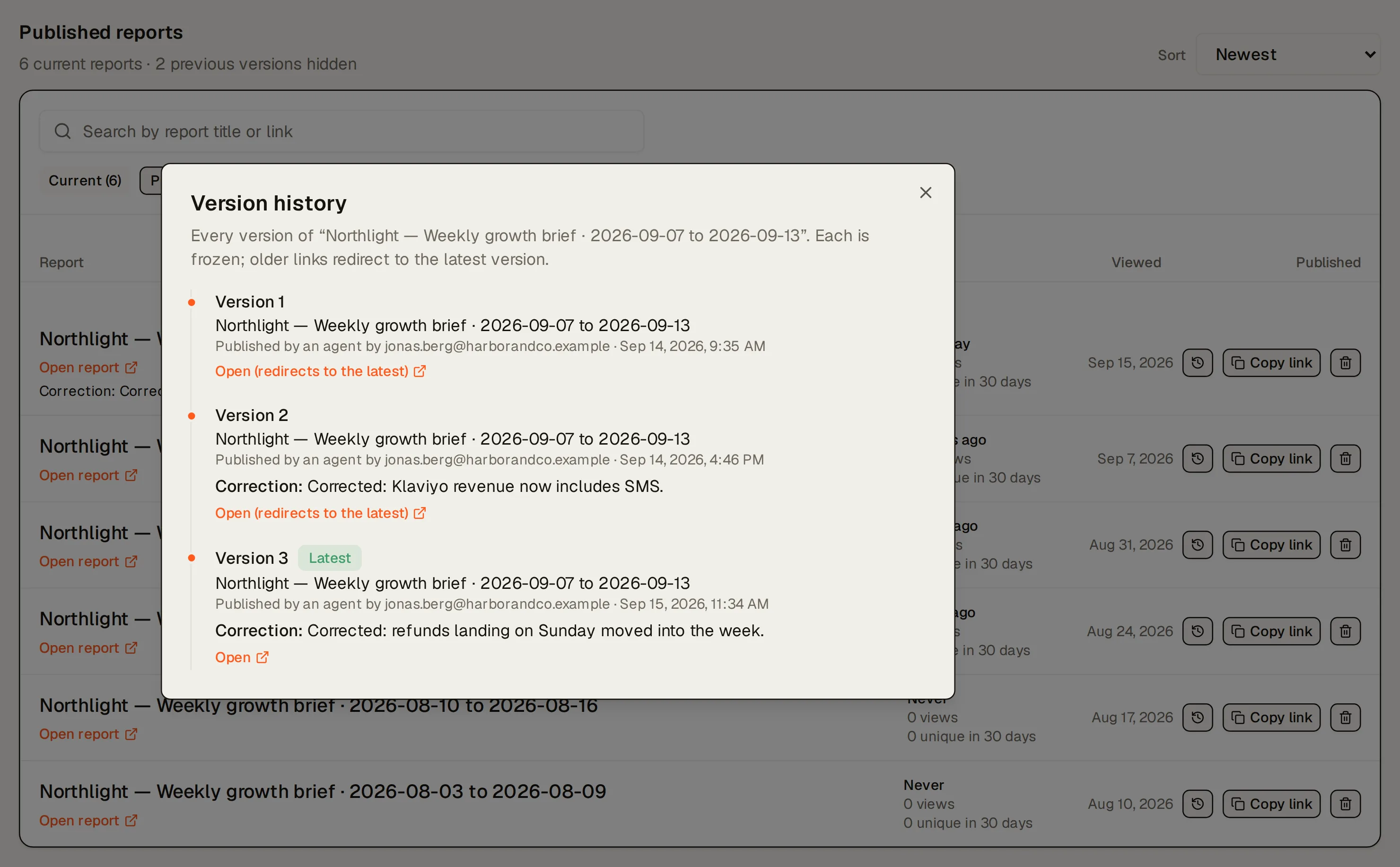
Northlight’s published reports with their views and unique viewers, and the version history of “Northlight — Weekly growth brief · 2026-09-07 to 2026-09-13” open over them: 3 frozen versions, the older links redirecting to the latest, with the corrections (Corrected: Klaviyo revenue now includes SMS.; Corrected: refunds landing on Sunday moved into the week.). Northlight’s published reports with their views and unique viewers, and the version history of “Northlight — Weekly growth brief · 2026-09-07 to 2026-09-13” open over them: 3 frozen versions, the older links redirecting to the latest, with the corrections (Corrected: Klaviyo revenue now includes SMS.; Corrected: refunds landing on Sunday moved into the week.).
One published report’s version history: every frozen version, each correction noted. Demo data: Northlight, a fictional brand.

With approval on, nothing your AI writes reaches a client unread

Turn on approval (it’s on by default for Agency plans) and every report your AI or a scheduled job publishes waits as a draft. An owner or admin opens the exact page the client would see, with the AI’s reasoning and evidence beside it, then approves it or rejects it with a reason the AI reads back. Approving publishes exactly what was reviewed.
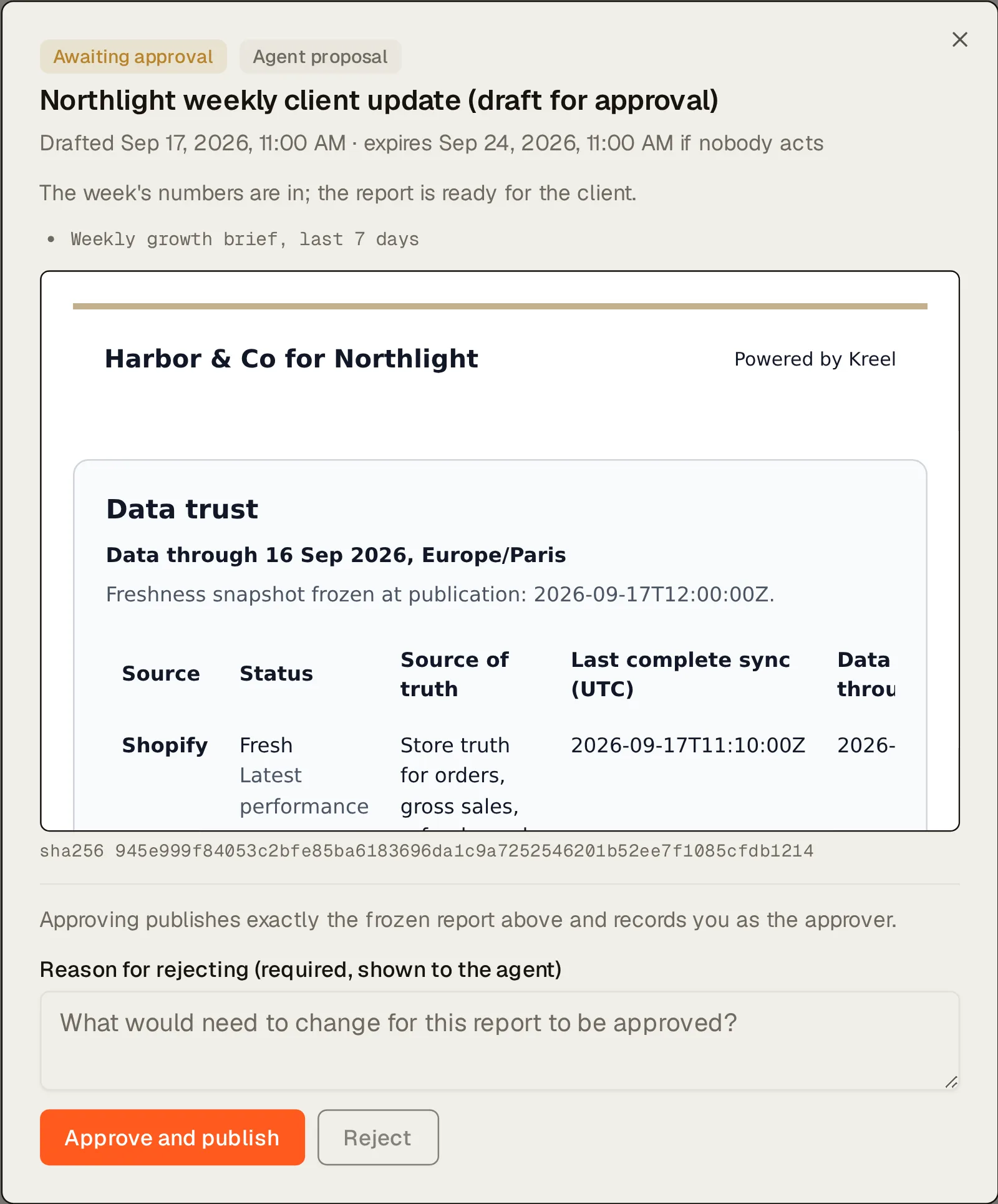
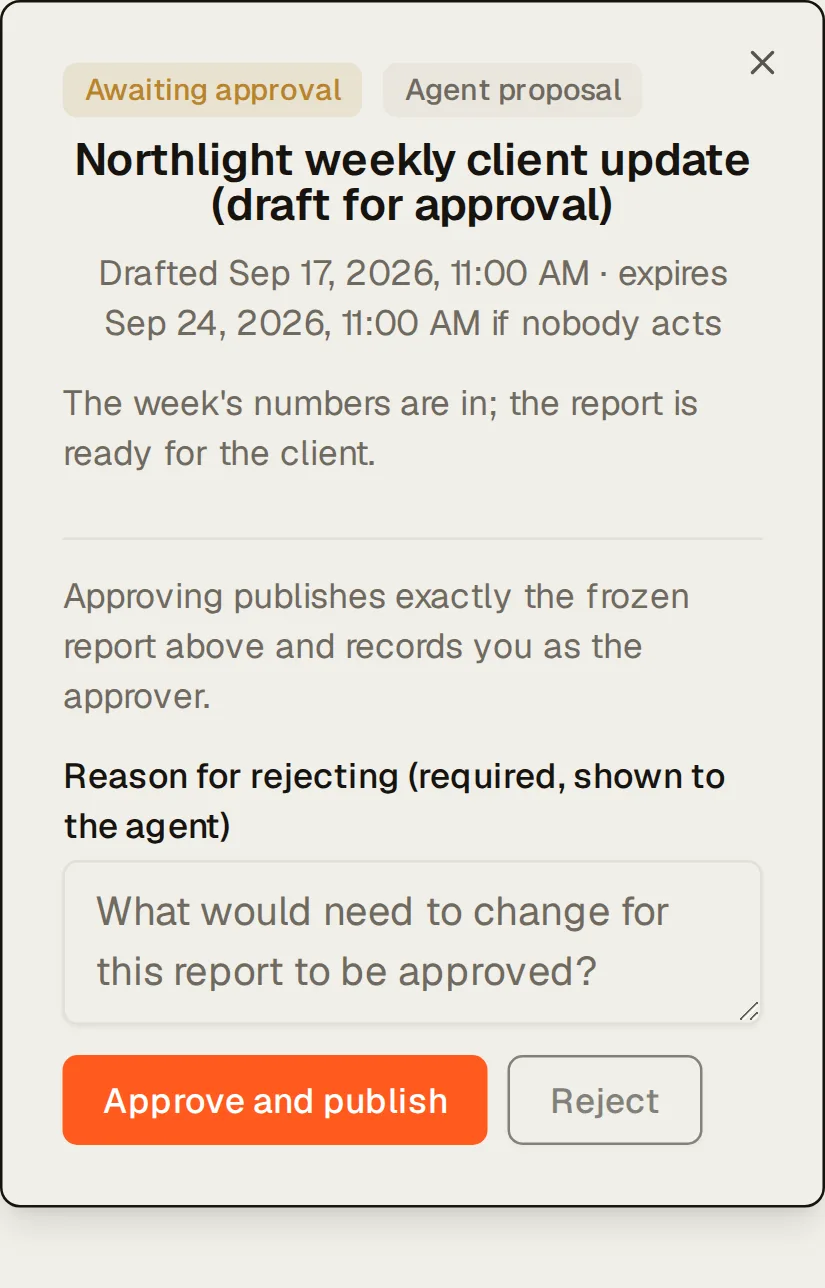
An agent’s draft report waiting in Northlight’s Drafts, in full-frame review: “Northlight weekly client update (draft for approval)”, awaiting approval, with its rationale (“The week's numbers are in; the report is ready for the client.”), the frozen report exactly as it will publish, and the Approve and publish and Reject buttons, with a required reason for rejecting. An agent’s draft report waiting in Northlight’s Drafts, in full-frame review: “Northlight weekly client update (draft for approval)”, awaiting approval, with its rationale (“The week's numbers are in; the report is ready for the client.”), the frozen report exactly as it will publish, and the Approve and publish and Reject buttons, with a required reason for rejecting.
A drafted client report, waiting for approval. Demo data: Northlight, a fictional brand.

Proposals that wait for a yes

Your AI can propose a report, a learning or a Brand Knowledge update instead of making it. Each proposal carries its reasoning and evidence, and only an owner or admin can approve it, in the dashboard. Add an expected result to a proposal (“click rate up 10% within 14 days”) and, once the window closes, Kreel records whether it happened. The verdict is an observational comparison and says so.
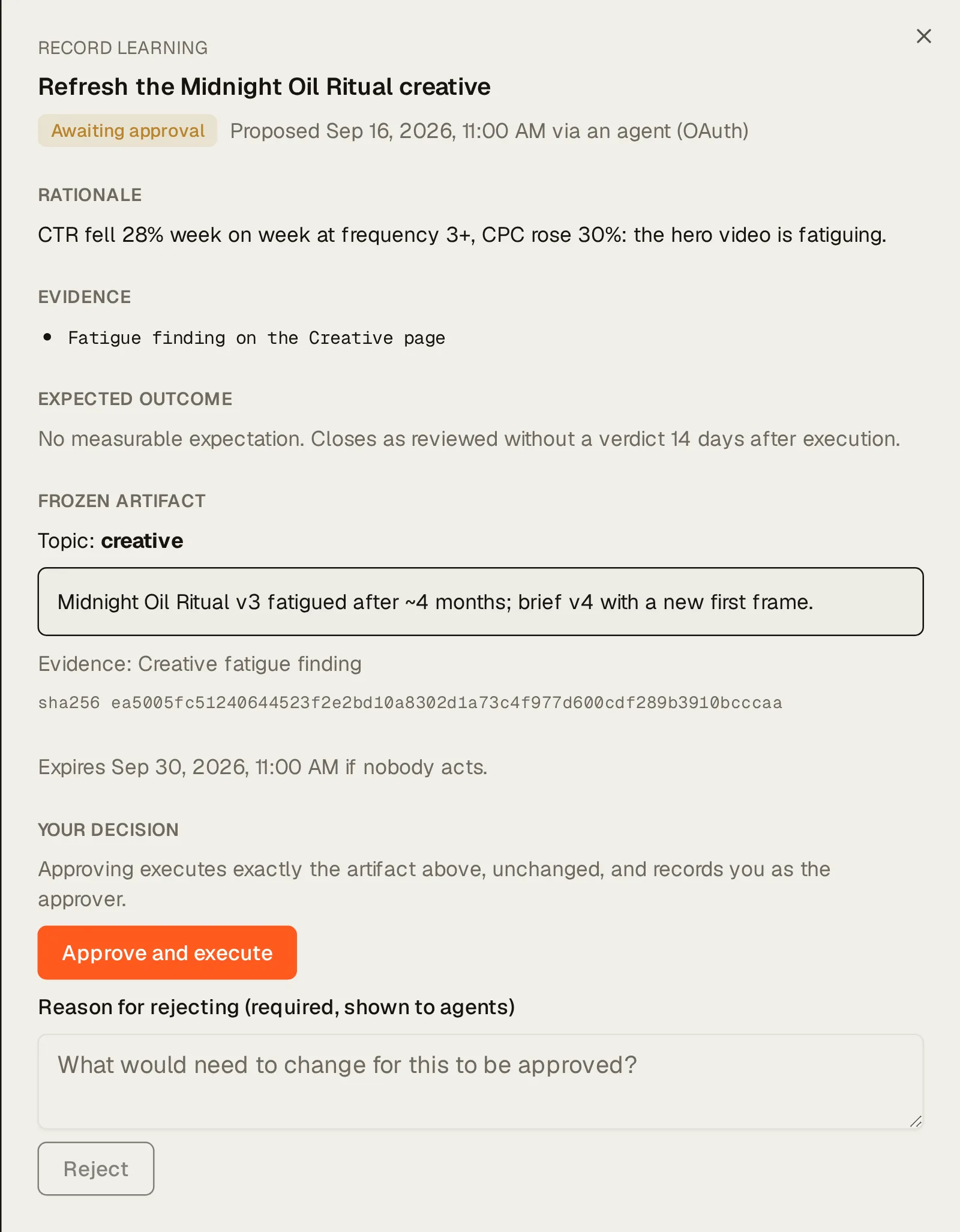
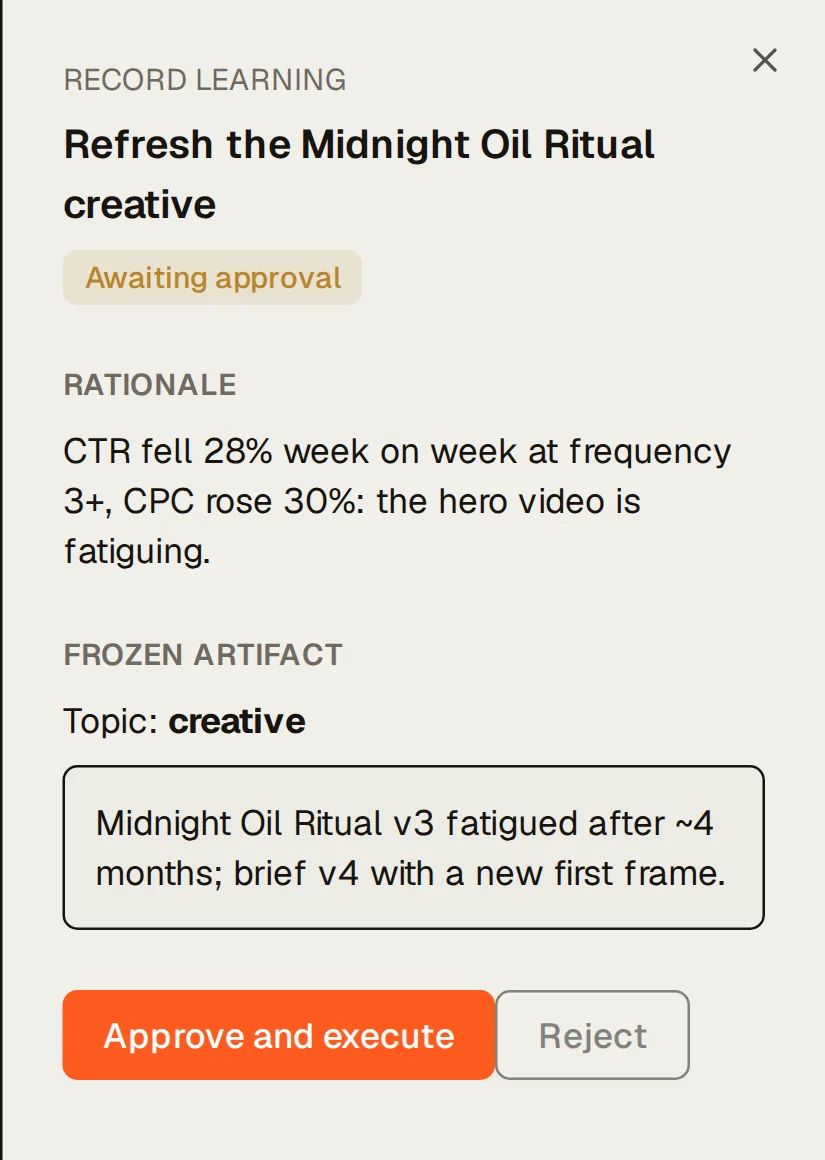
A proposal in Northlight’s decision queue, opened: “Refresh the Midnight Oil Ritual creative” (record learning), awaiting approval, with its rationale (“CTR fell 28% week on week at frequency 3+, CPC rose 30%: the hero video is fatiguing.”), evidence, expected outcome, the frozen artifact it would record, and the Approve and execute and Reject buttons. A proposal in Northlight’s decision queue, opened: “Refresh the Midnight Oil Ritual creative” (record learning), awaiting approval, with its rationale (“CTR fell 28% week on week at frequency 3+, CPC rose 30%: the hero video is fatiguing.”), evidence, expected outcome, the frozen artifact it would record, and the Approve and execute and Reject buttons.
A proposal waiting for an owner or admin. Demo data: Northlight, a fictional brand.

Briefs, pacing and alerts on a schedule

Schedule the weekly brief, a findings alert, target pace or budget pacing to run daily, weekly or monthly, delivered as a hosted report, a Slack message or an email, or held for approval each time. Alerts post new findings to Slack once a day at 07:30 brand time, and stay quiet when nothing is new. The weekly digest email goes out on Monday morning to your team, and to client contacts who don’t need a Kreel login. These run on fixed templates; no AI writes them.
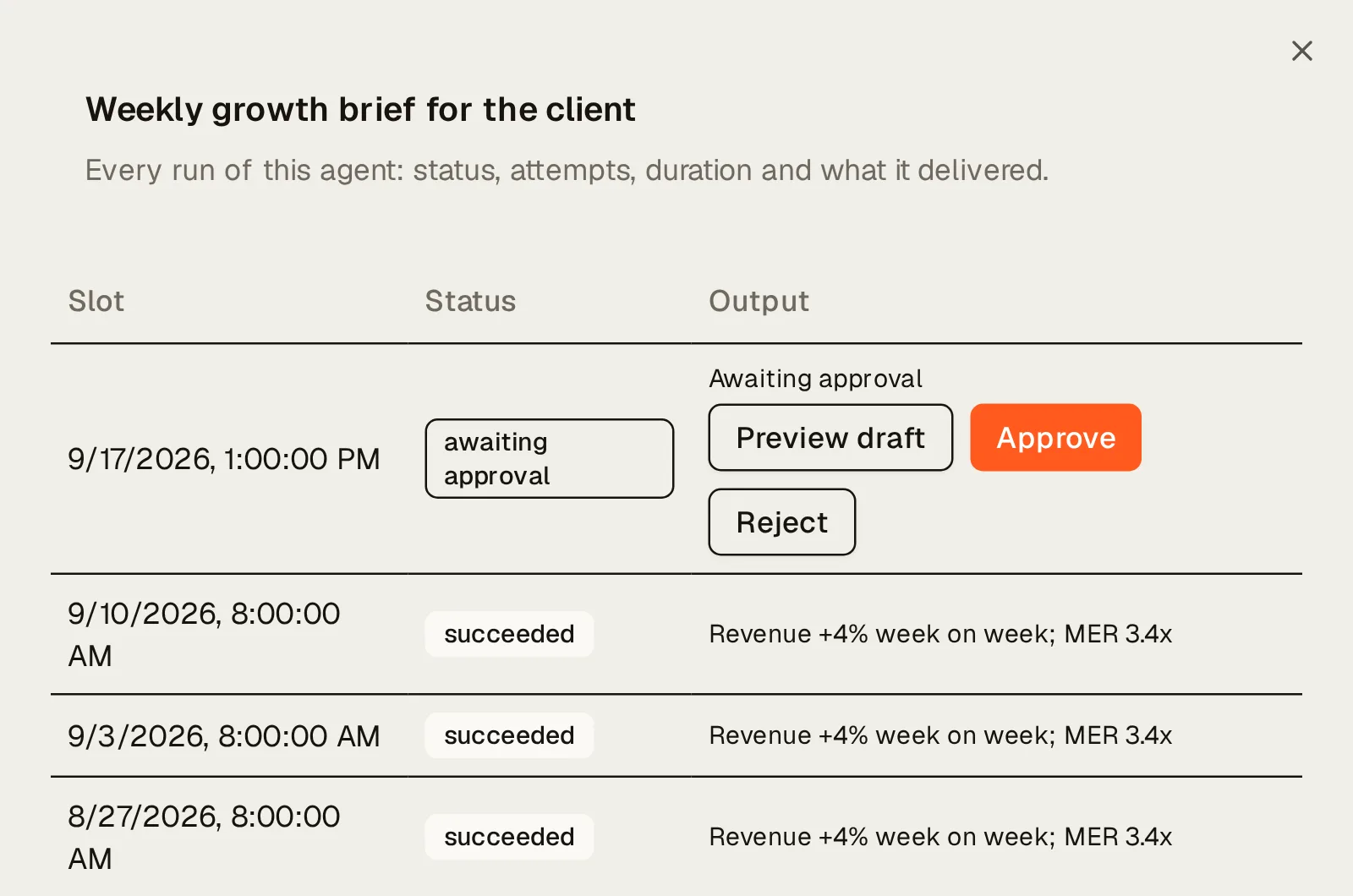
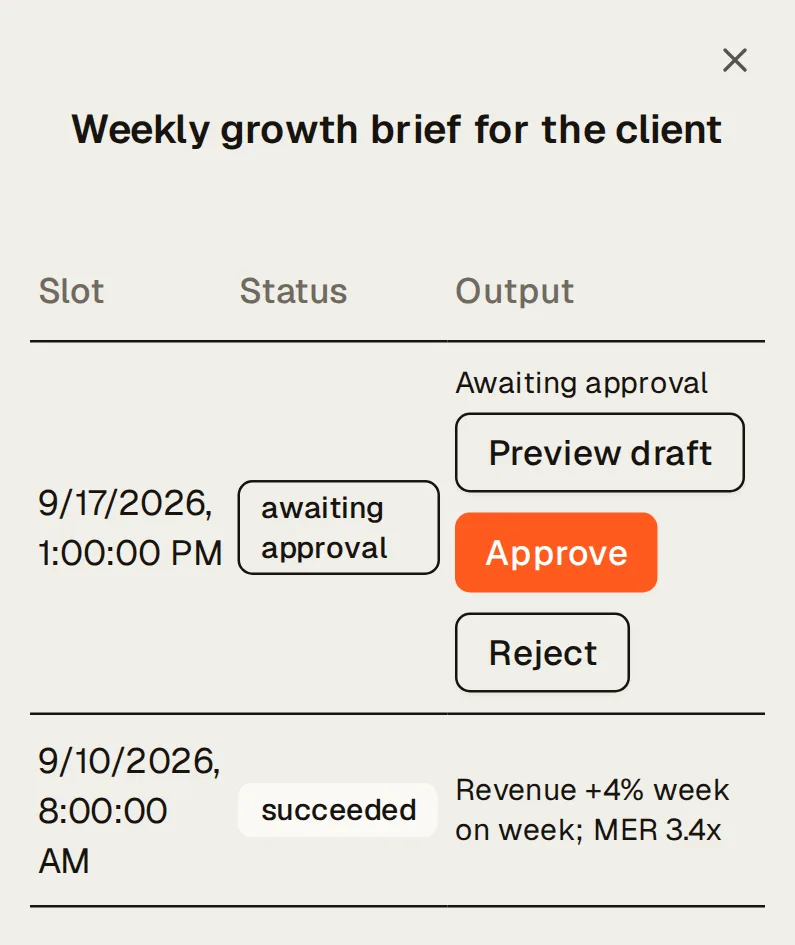
The run history of Northlight’s scheduled agent “Weekly growth brief for the client”: the latest run awaiting approval with Preview draft, Approve and Reject, then the weekly runs before it that succeeded, each with what it delivered. The run history of Northlight’s scheduled agent “Weekly growth brief for the client”: the latest run awaiting approval with Preview draft, Approve and Reject, then the weekly runs before it that succeeded, each with what it delivered.
A scheduled agent’s runs, the latest awaiting approval. Demo data: Northlight, a fictional brand.

Ask it in your own AI

Ready-made prompts and the question each answers
PromptThe question it answers
Client weekly reportWrite this week’s client update and publish it as a link.
Monthly board summaryMake September’s board report, against August and last September.
Quarterly business reviewPrepare the QBR for the client.
Promo / launch recapHow did the spring sale do against the two weeks before it?
Portfolio roll-upGive me last month across every client, for the team meeting.

Every prompt runs in your Claude or ChatGPT. Kreel never writes to your store or ad accounts.
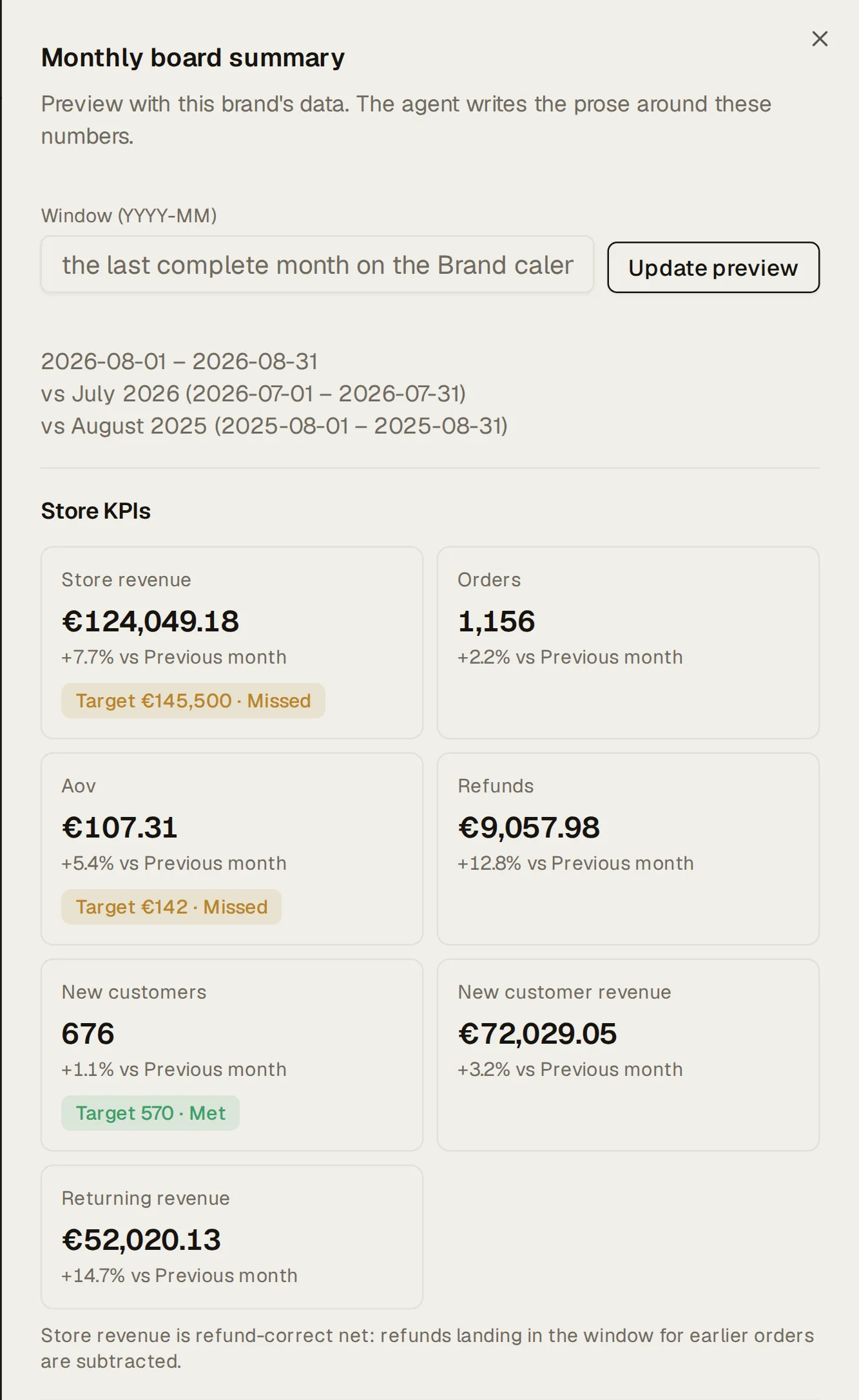
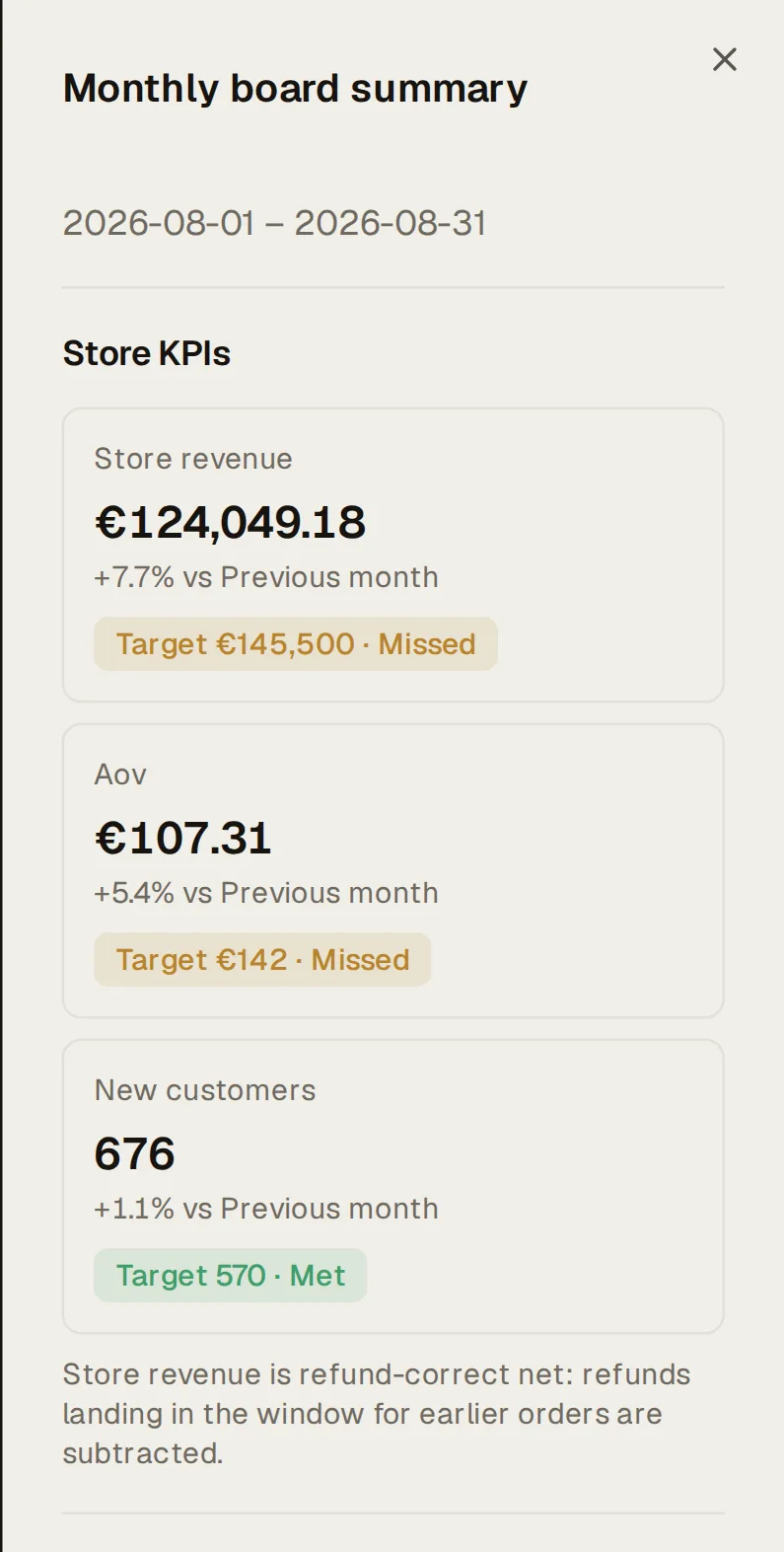
The Monthly board summary template previewed with Northlight’s numbers for 2026-08-01 – 2026-08-31: store KPI tiles (store revenue, orders, AOV, refunds, new customers and their revenue, returning revenue), each against the previous month, with target chips where the brand set one (Target €145,500 · Missed, Target €142 · Missed, Target 570 · Met). The Monthly board summary template previewed with Northlight’s numbers for 2026-08-01 – 2026-08-31: store KPI tiles (store revenue, orders, AOV, refunds, new customers and their revenue, returning revenue), each against the previous month, with target chips where the brand set one (Target €145,500 · Missed, Target €142 · Missed, Target 570 · Met).
The Monthly board summary template, previewed with a brand’s numbers. Demo data: Northlight, a fictional brand.

What it needs

  • Shopify and any ad or email platform for the brief.
  • A report handle and password, set once per brand, before a link can be shared.
  • Claude or ChatGPT for AI-written reports from templates. The brief, digests, alerts and scheduled reports don’t need one.
  • A Slack incoming webhook for Slack delivery.

Questions about Kreel, answered plainly

All questions

Can I make a report without an AI?

Yes: the weekly or daily brief, from the Briefs page, in one click. Reports with written commentary or a custom layout come from your AI using the templates.

Is it white-label?

No. Reports carry your logo, name and colours with a small “Powered by Kreel”, on reports.kreel.ai, with no custom domain.

Do clients need a login to read reports?

No. A report link and its password are enough, and digest emails go to client contacts who confirm their address. A client who logs in to the dashboard uses a viewer seat.

Can I get a PDF?

Reports made from the report templates print cleanly from the browser to A4 or Letter, so “Save as PDF” in the print dialog works. Other reports print as the browser renders them. There’s no separate PDF button.

Is the data real-time?

No. Shopify syncs every six hours, Google Ads hourly, and Meta, TikTok, Klaviyo and GA4 daily. Rolling windows such as “last 7 days” are whole days ending yesterday in the brand’s time zone, and alerts go out once a day.

Grow your ecommerce brand from one place.

14 days free. A card is needed to start, and nothing is charged until the trial ends.