What would your AI say if it knew the brand?
Connect Kreel to the ChatGPT or Claude your team already uses. It can then read your brand’s Shopify, Meta, Google, TikTok, Klaviyo and GA4 data, along with its targets, positioning, voice and learnings. There’s no chat inside Kreel: the analyst is your own AI.
14 days free. A card is needed to start, and nothing is charged until the trial ends.
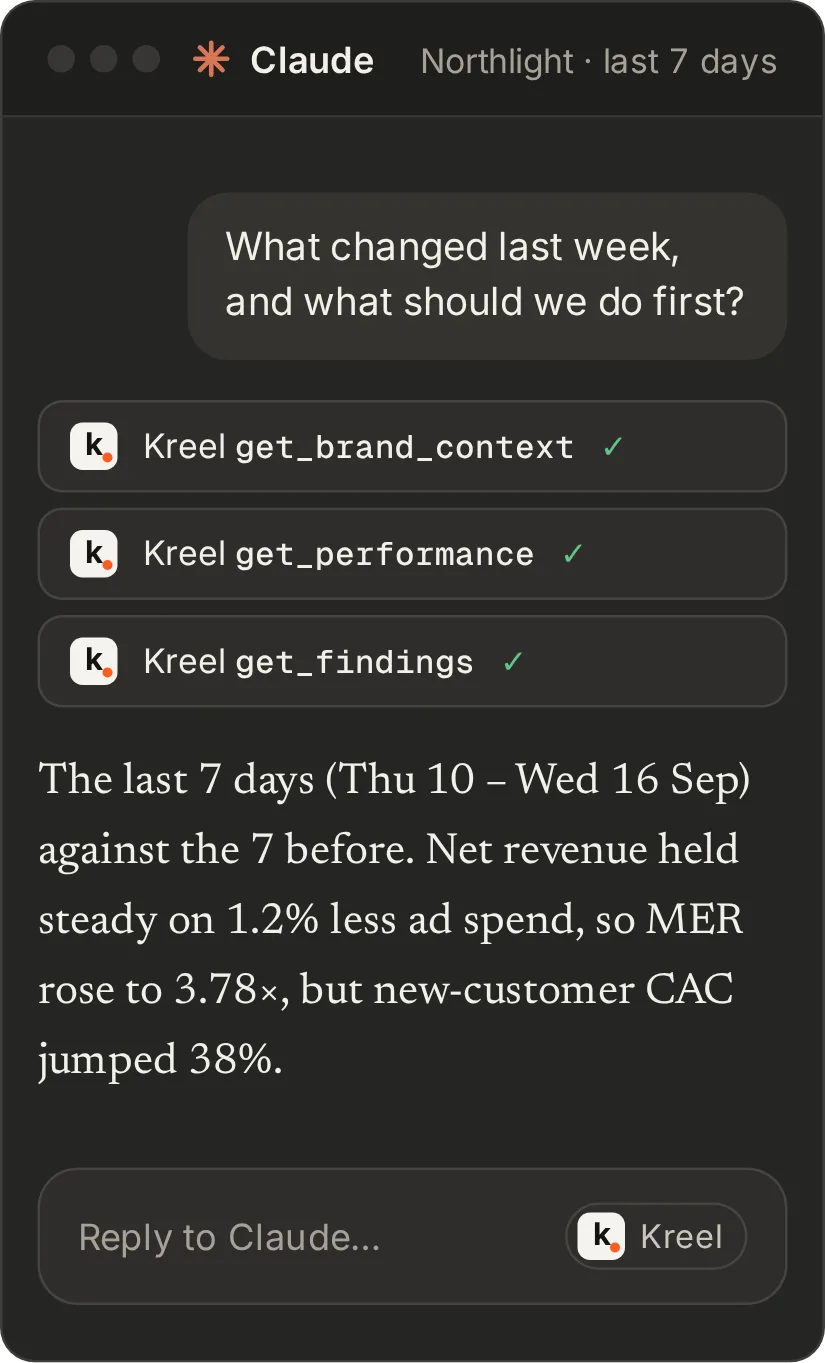
One URL for Claude, ChatGPT or any MCP client
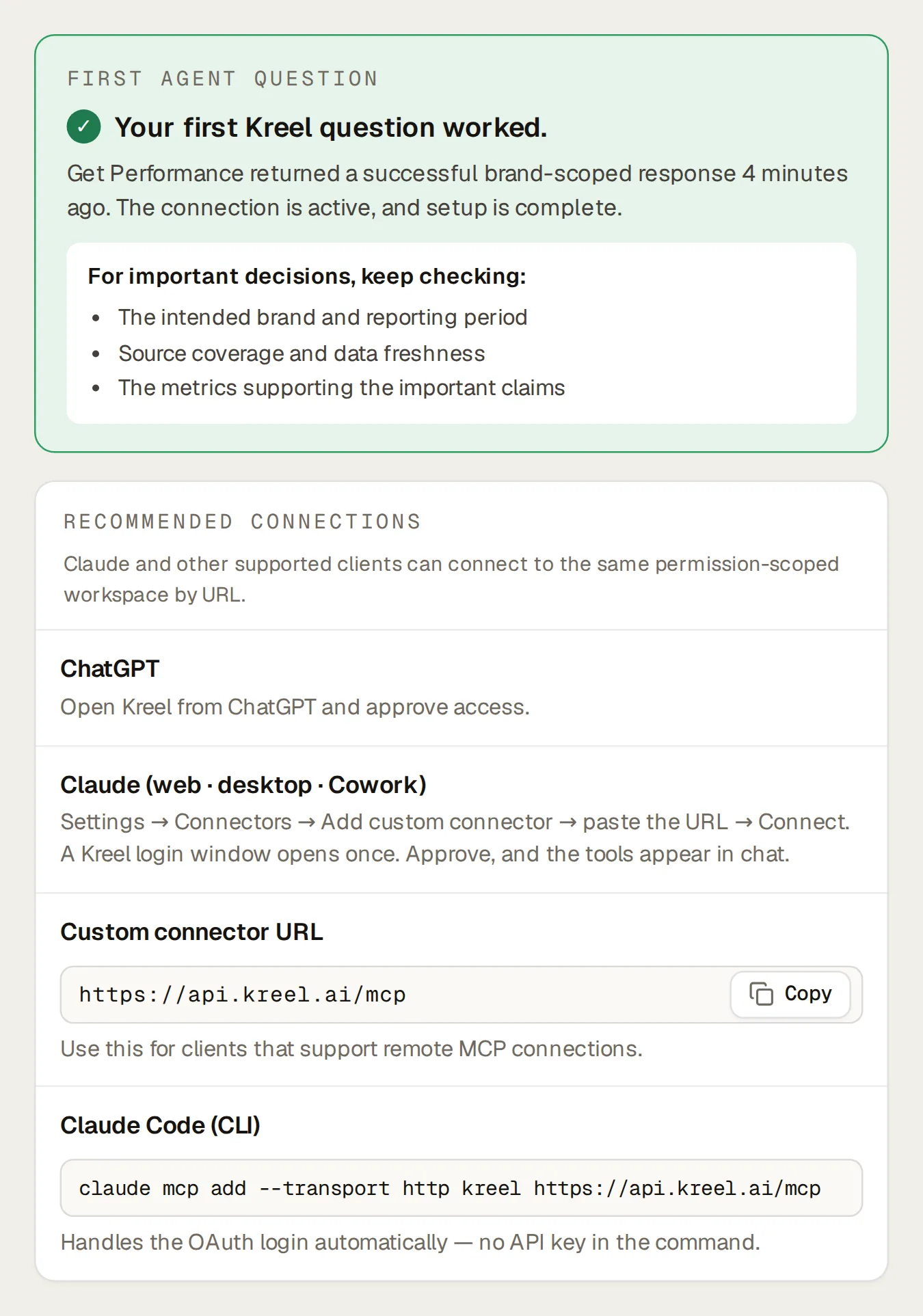
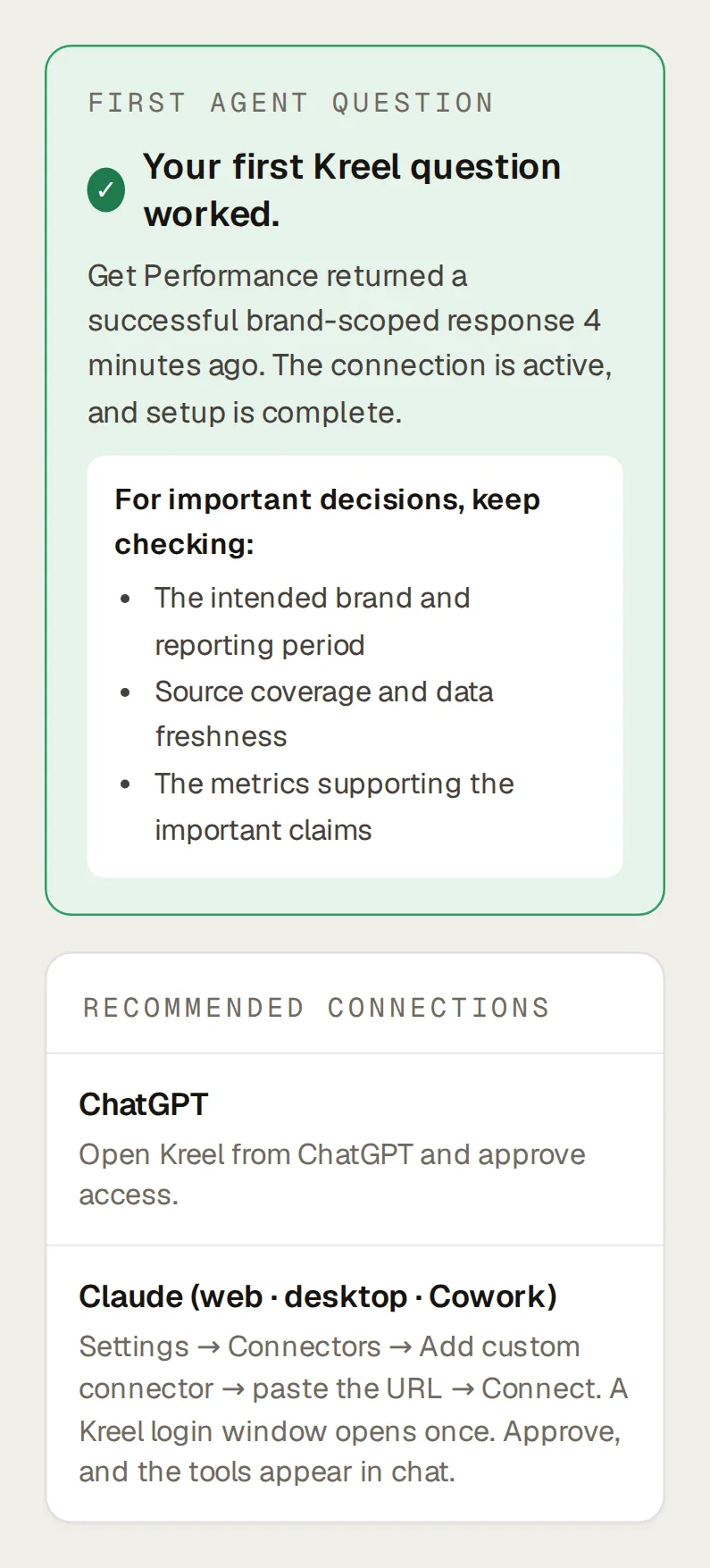
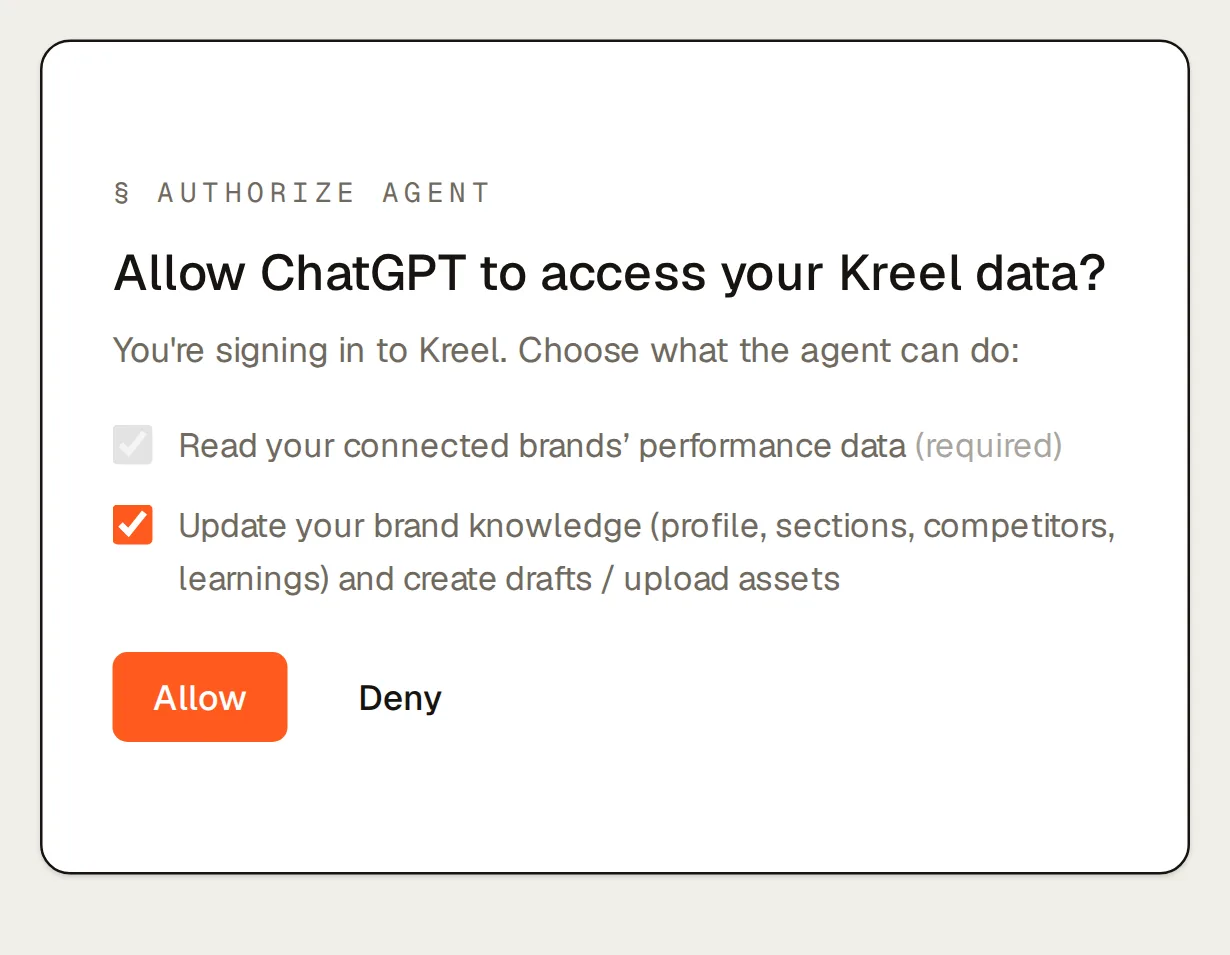
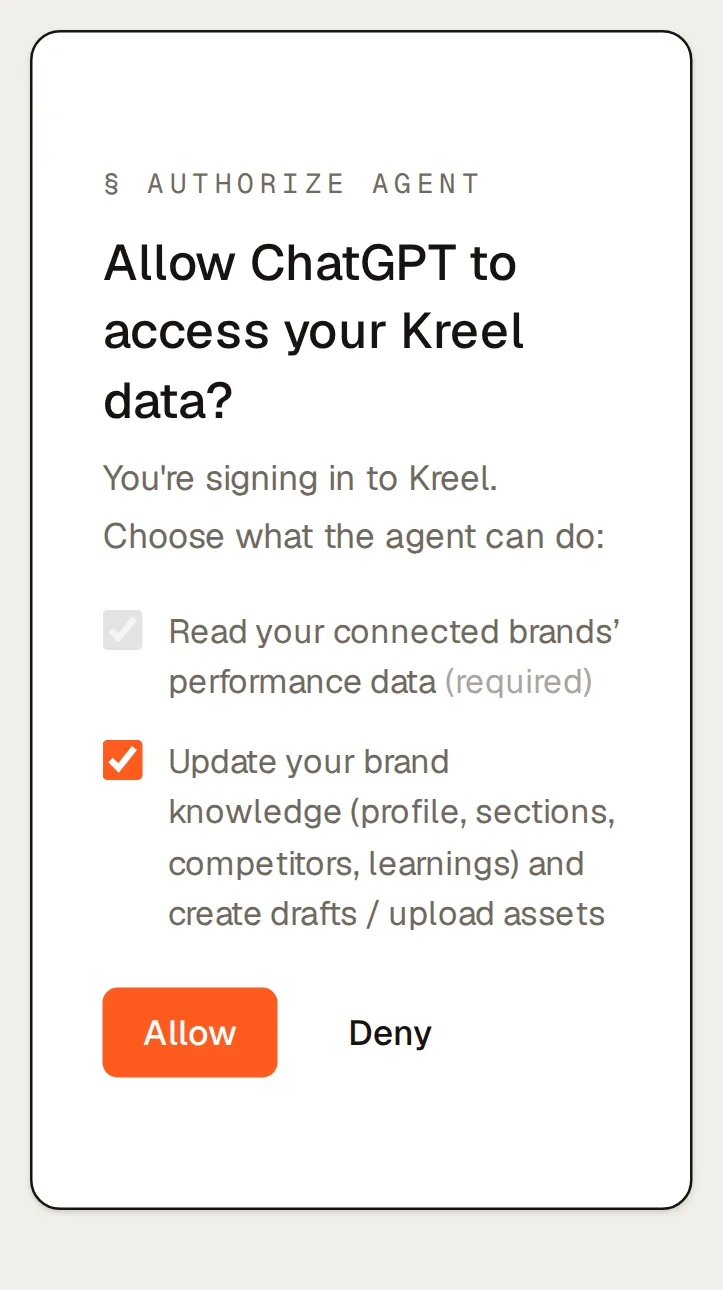
In Claude, add Kreel as a custom connector: one URL and a sign-in, no key. In ChatGPT, install Kreel from the plugin directory; whether you can install it depends on your ChatGPT plan, your workspace’s settings and your region. In Claude Code or any other MCP client, paste the same URL. A Kreel consent screen asks what the AI may do: read is required, write is a box you can untick for a look-but-don’t-touch connection. One connection reaches every brand you can access, and the connect page tells you when your first question has worked and suggests what to ask first.
Your AI never receives customer names, emails, phone numbers or addresses; it works with counts, totals and segment sizes. It can’t change anything in Shopify, Meta, Google, TikTok, Klaviyo or GA4, and with write unticked it can’t change anything in Kreel either. Every call it makes is logged with the tool, the brand, the outcome and what it changed, and owners and admins can filter the whole workspace’s log by brand, key, AI client or tool.
Ask about any platform, any brand, any week
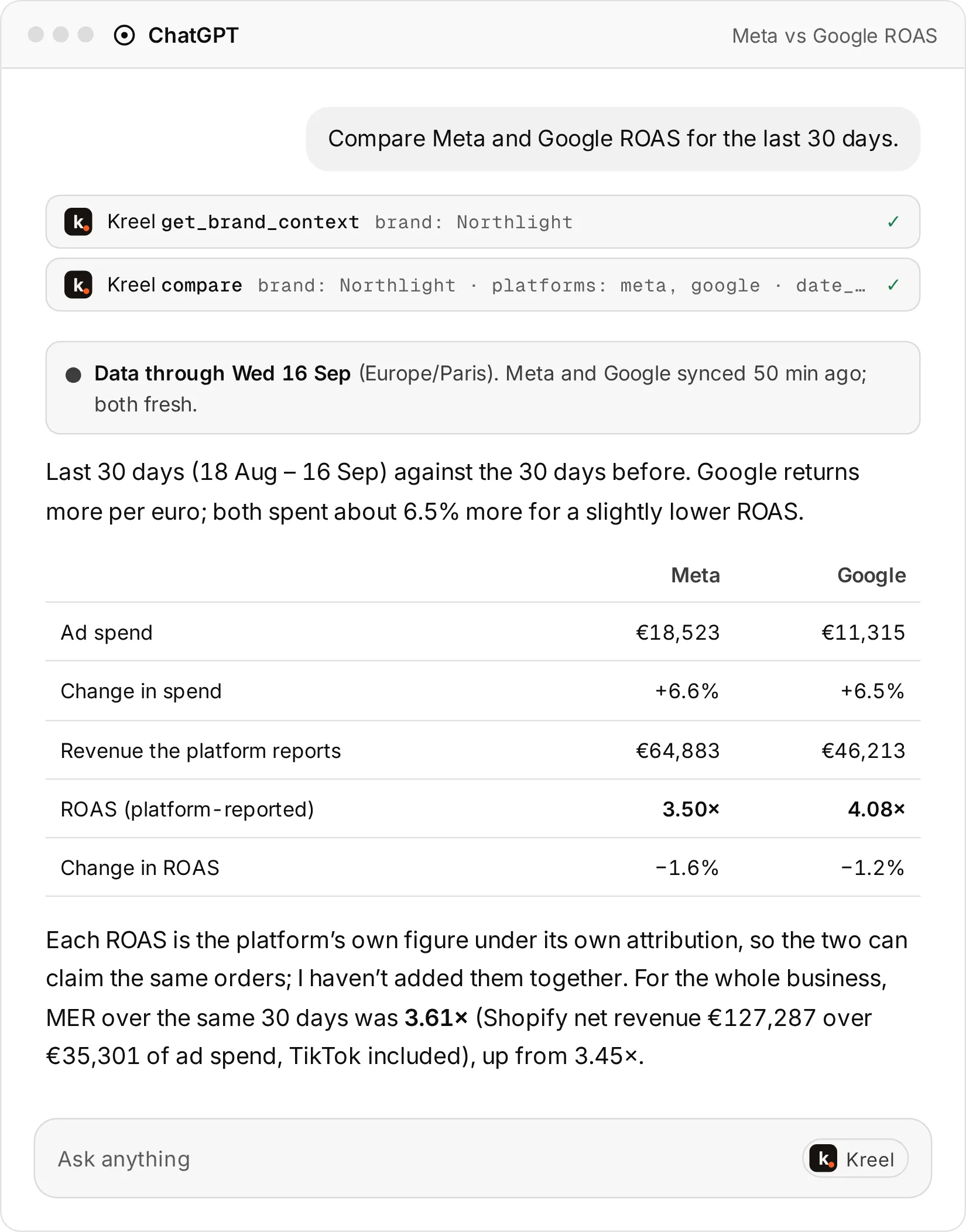
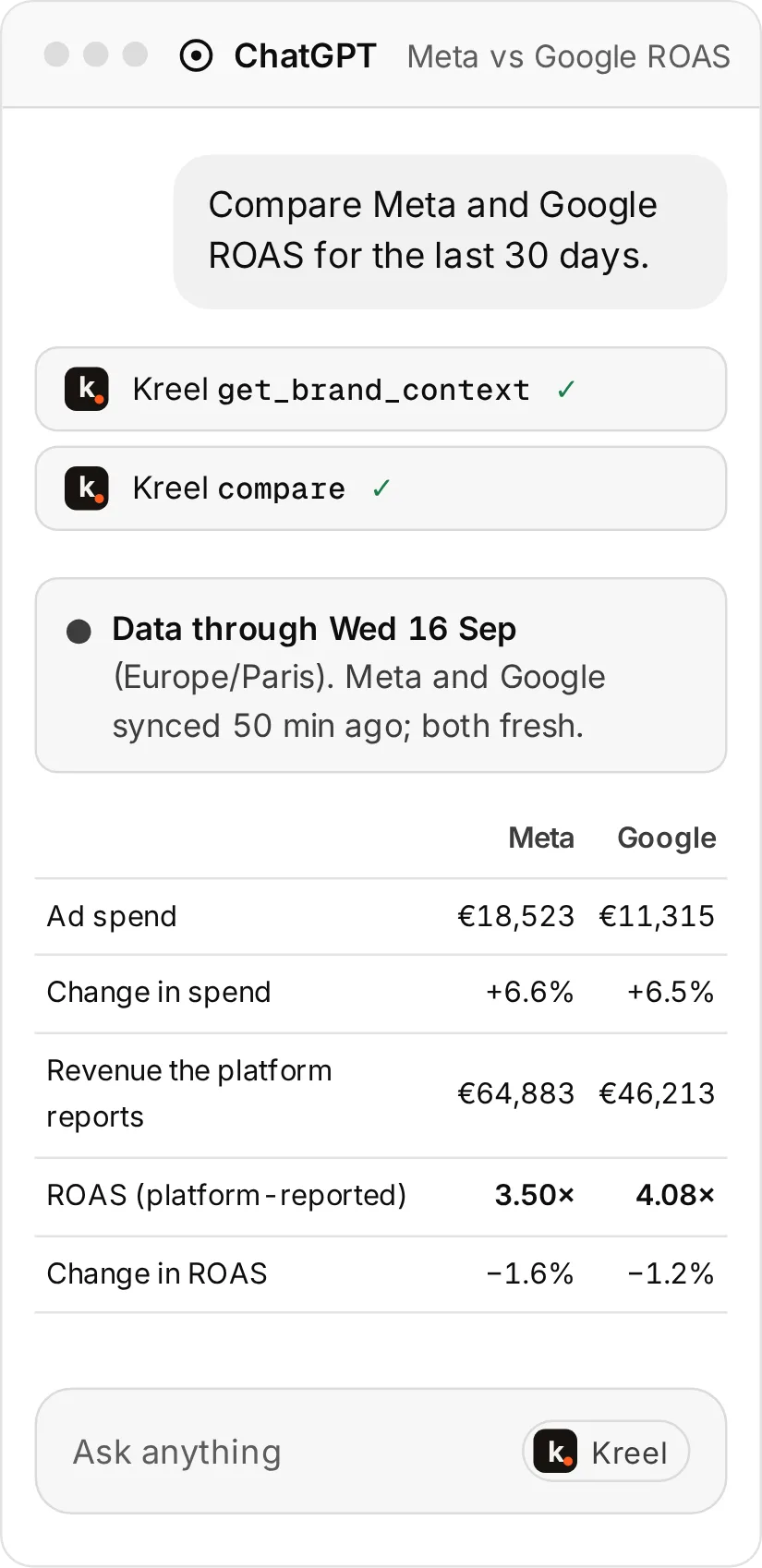
Ask what changed last week, compare Meta and Google over 30 days, list the ad sets stuck in learning, or ask which hook type returned best on TikTok this month. Your AI uses 20+ Kreel tools that return the same numbers as the dashboard. Each answer comes with the window it covers, the comparison it used and how far each source’s data runs. Store revenue and each platform’s reported revenue come back as separate, labelled figures. For questions the tools don’t cover, your AI can query Kreel’s tables directly.
Before it answers, your AI checks every source’s freshness and is told to say so when one is stale, failing or still loading history. It can read how Kreel defines every metric, so “how is MER calculated here?” gets the real definition.
The Ask button on tiles, rows and findings
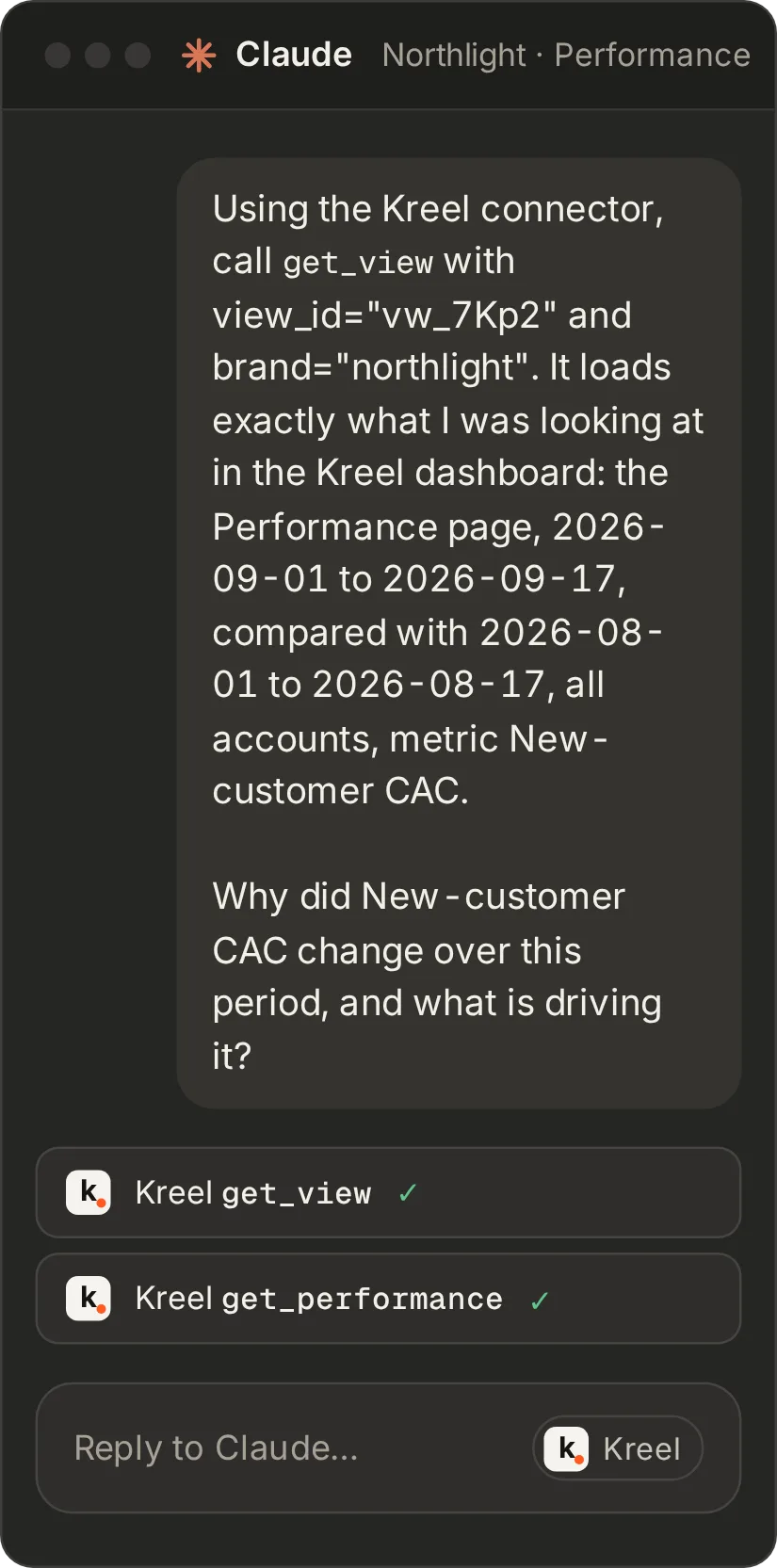
See something odd on a dashboard? Press Ask. Your Claude or ChatGPT opens with a snapshot of exactly that view: the dates, the filters and the row you clicked. It reads the same numbers through Kreel and explains what moved. The prompt it opens with carries only references; your AI fetches the numbers from Kreel.
Brand Knowledge: what your AI reads before it answers
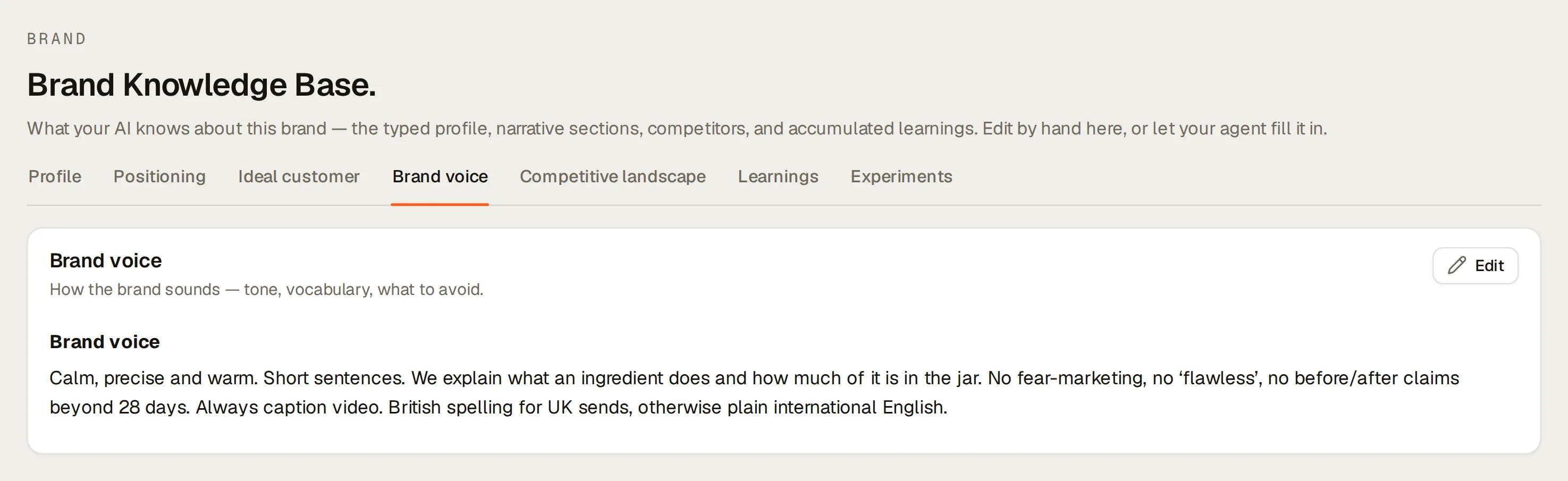
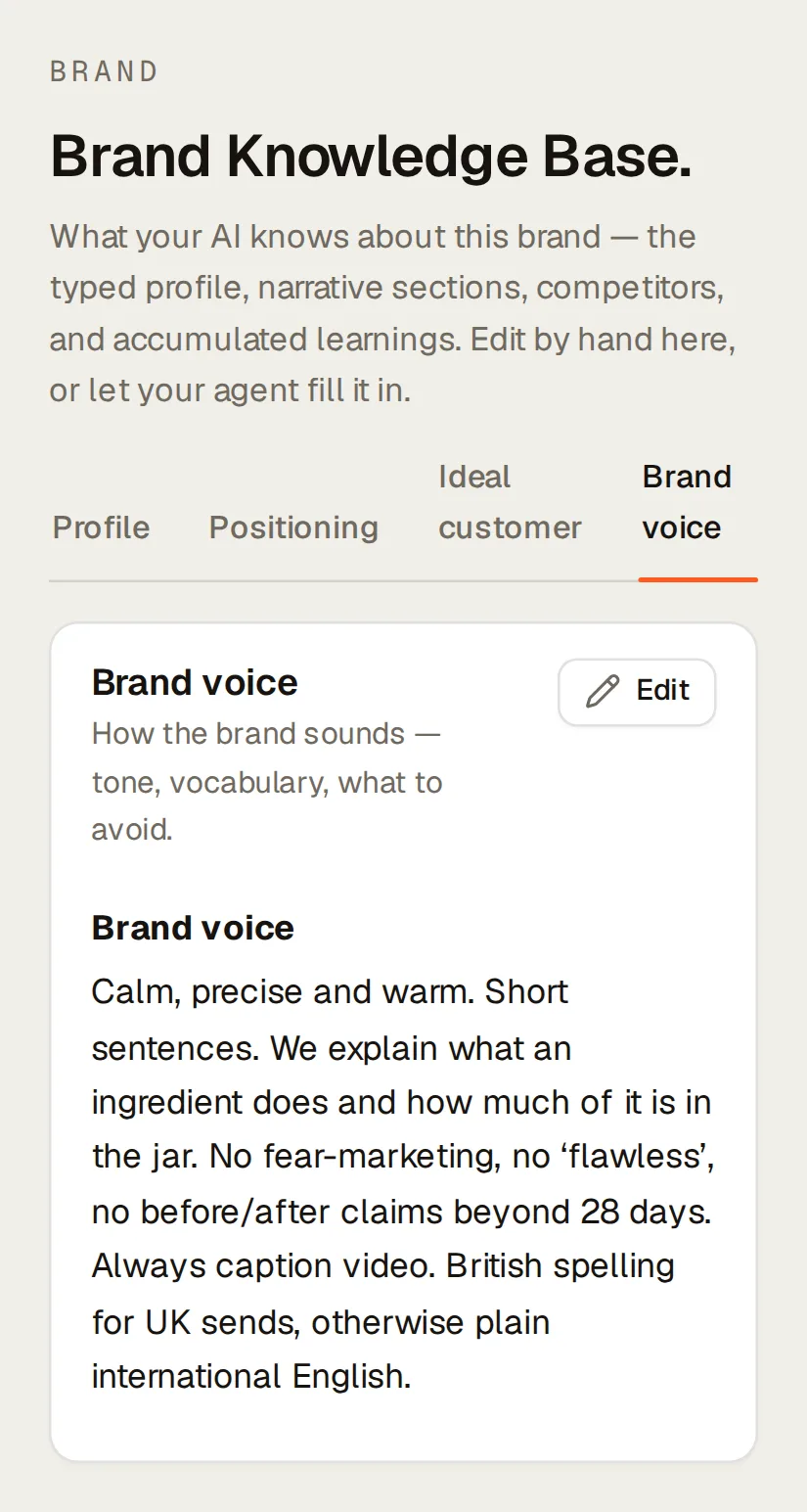
Each brand keeps a profile (price tier, margin band, target ROAS, CPA and AOV, monthly targets), four written sections (positioning, ideal customer, brand voice, competitive landscape with named competitors) and a running list of learnings. Your AI reads them before it analyses, recommends or writes. So the weekly update sounds like the brand, your AI judges ROAS against the brand’s own target, and last quarter’s lesson about discount offers doesn’t get lost.
Starting from nothing? Run the onboarding prompt. Your AI reads what’s already connected, asks you only about the gaps, confirms each value with you, and fills in Brand Knowledge.
Audits, briefs, tests and drafts
The prompt library gives your AI 20+ ready-made routines: Meta, Google and TikTok account audits, a daily pulse, a flow audit, a creative fatigue check, scaling candidates, the next creative brief, and client reports. It can also draft Meta ads, a Google responsive search ad or a Klaviyo campaign in the brand’s voice, as text you paste in yourself. With write access, it can do the setup for you: load product costs from a supplier sheet (showing every change before it saves), set up creative tags, save a customer segment or save the budget plan. All of that stays inside Kreel.
Ask your AI to record a test (“hook A lifts revenue 10% next week”). After the end date, Kreel works out win, loss or inconclusive from the stored numbers and saves what you learned to Brand Knowledge. It’s an observational comparison with no holdout group, and every verdict says so.
Also on this page
- For scripts and BI tools.
- Workspace API keys with read, write and personal-data scopes, and a read-only REST API with an OpenAPI contract. See the docs.
Ask it in your own AI
| Prompt | The question it answers |
|---|---|
| Onboard a brand | Set up this brand’s profile from our data, and ask me about the rest. |
| Weekly report | What happened last week, in our brand’s voice, against our targets? |
| Ask about this view | Why did this tile drop? (Opened from the Ask button.) |
| Investigate a finding | What’s behind this finding, and what should I check first? |
| Draft a Google RSA | Draft a responsive search ad for the summer launch. |
Every prompt runs in your Claude or ChatGPT. Kreel never writes to your store or ad accounts.
What it needs
- An AI client: Claude (web, desktop or Claude Code), ChatGPT with plugins available on your plan and workspace, or any client that supports remote MCP connectors.
- A Kreel seat. Members and above can connect an AI with read or read-and-write access; a viewer’s connection can only read the brands they’re given.
- Any connected source. Your AI sees what the brand has connected.
Questions about Kreel, answered plainly
Is there an AI chat inside Kreel?
No. The dashboard is where your team reviews the numbers, and the analyst is your own Claude or ChatGPT, connected to Kreel. Kreel runs no model of its own to answer your questions.
Which parts need Claude or ChatGPT?
Asking questions in your own words, the ready-made prompts, AI-written reports, the test ledger and setting things up from a chat. The dashboards, Creative Intelligence (its AI tags are made by Kreel, not by your AI), the weekly and daily briefs, publishing a brief as a report, digests, alerts, scheduled reports and approvals all work without one.
What happens if the AI gets a number wrong?
Every answer from Kreel’s tools comes with the dates it covers, the comparison it used and how fresh each source is, and the dashboard shows the same numbers, so you can check any figure. The model can still misread them. That’s why you can turn on approval, so nothing your AI publishes goes out until an owner or admin has read it.
Which ChatGPT plans work?
Kreel is in ChatGPT’s plugin directory. Whether you can install it depends on your ChatGPT plan, your workspace’s settings and your region. In Claude, Kreel connects as a custom connector with one URL and a sign-in, no key.
Is my data used to train AI?
Your ad creative can be. Kreel sends ad creative media (images and video) and the associated ad copy to a third-party AI model provider, on its free tier, to generate descriptive tags, and under the free-tier terms the provider may use submitted content to improve its products. Except for that, Kreel doesn’t provide connected-platform data to third parties for training AI models, and it doesn’t train models of its own. What happens to your conversations is governed by your own AI provider’s terms.
Grow your ecommerce brand from one place.
14 days free. A card is needed to start, and nothing is charged until the trial ends.